

• Build a Content Distribution System for Your Small SaaS

    Publishing isn’t the hard part anymore. It’s the lonely little graveyard after you hit Publish, when a genuinely useful article gets six visits, two of them are you, and one is probably your mom.

    Your content distribution system gives every strong idea a repeatable route to the right buyer. Build it around real customer problems, channel fit, and product signals, and content stops feeling like a weekly act of faith.

    Key Takeaways for a Content Distribution System

    • Start with buyer research around one problem that appears in sales calls, support tickets, and onboarding friction.
    • Create one substantial core asset, then repurpose it for email, social posts, search, and product education.
    • Give each channel a distinct job. Sharing the same link everywhere isn’t distribution.
    • Track qualified visits, trials, demos, and activation instead of applause from people who’ll never buy.

    Start With the Buyer Problem That Won’t Sit Still

    A quick clarification, because this phrase gets confusing fast. If you’re looking for caching and traffic routing, you’re thinking about website infrastructure. That work is about speed, not marketing.

    A marketing distribution workflow is different. It’s the operating routine that moves useful ideas from your team to people who may become customers.

    A content delivery network places edge servers across points of presence, bringing files closer to users. DNS servers handle request routing toward the nearest suitable location. Those locations sit closer to users than the origin server, while the CDN acts as a reverse proxy. Network service providers support the connectivity and peering behind that path.

    Compared with a centralized origin, the edge servers can deliver cached files locally. Regional reach still depends on how network service providers interconnect. Caching servers store frequently requested files nearby, so content caching can deliver static content locally. Dynamic content may still need to reach the main application.

    Load balancing and resilient delivery help absorb traffic spikes, support latency reduction, lower bandwidth costs, improve global availability, and reduce network congestion. The result is improved web performance. Edge computing runs workloads near users, while ordinary CDN caching mainly serves stored files. Image optimization also prepares visual assets for content providers.

    Choose One Pain With Teeth

    Don’t start with “we need to post more on LinkedIn.” That’s how a calendar becomes a junk drawer.

    Start with a problem your product solves and your buyer already feels. A payroll SaaS might focus on missed compliance deadlines. A product analytics tool might focus on teams making roadmap calls from bad data. A writing tool might focus on the blank-page dread that eats an afternoon.

    Write the problem in plain language. If it sounds like something a founder would say on a sales call, you’re close.

    Let Intent Choose the Core Asset

    Search-led content works when someone is actively trying to solve a problem. A comparison page, a practical guide, or a template can meet that person with something useful before they know your company exists.

    Before choosing themes, look at sales calls, onboarding chats, support conversations, and the search terms bringing people to your site. This SaaS content marketing guide is a useful reset if your topics feel disconnected from the business you need to build.

    The goal isn’t more ideas. God knows most founders already have too many of those. It’s choosing ideas that earn attention.

    Build a Core Asset Your Channels Can Reuse

    A SaaS founder plans content distribution beside a laptop and connected cards.

    A SaaS founder doesn’t need a 47-tab command center. You need a center of gravity, one strong piece of content that creates several smaller, channel-native pieces without becoming a full-time content factory.

    Pick a Pillar Worth Breaking Apart

    Your core asset can be a detailed article, a customer interview, a webinar, a product teardown, or a useful original dataset. It needs a clear point of view and enough substance to survive being cut into pieces.

    For example, an article about reducing customer churn can become a newsletter lesson, a founder post about a hard retention mistake, a short product video, and a sales follow-up resource.

    A media-heavy asset can be delivered through edge servers, but image optimization should happen before publication. A delivery partner’s relationships with network service providers can affect regional reliability.

    That isn’t squeezing water from a rock. It’s respecting the work you already did.

    Create Native Versions, Not Tiny Ads

    Repurposing fails when every post feels like an ad for the original article. People can smell that move from across the internet.

    Instead, reshape the idea around what each channel does best:

    • An email can tell a more personal story and invite a reply.
    • A LinkedIn post can make one sharp claim and open a useful conversation.
    • A short video can show the product moment that makes the lesson click.
    • A blog post can answer the full question and capture search demand over time.

    Your workflow should create different entry points, not four identical links wearing different hats.

    Put Each Channel in Its Proper Job

    Every channel has a role. When you ask one post to drive traffic, build trust, create demand, explain the product, and close a sale, it usually does none of those things well.

    Owned Channels Carry the Compounding Work

    Your website and email list are where attention becomes something you can keep. A helpful article can rank for years. A good newsletter can bring people back when they weren’t ready to buy last Tuesday.

    Make your site the place where buyers find the complete answer. Use clear pages and image optimization for screenshots and diagrams before you share them elsewhere. Use email to deepen the relationship with follow-up ideas, product examples, and direct invitations to respond.

    A simple distribution setup might start with one weekly email, one search-focused article, and one product-led resource. That’s enough to build momentum without pretending you’re a media company with a studio in Brooklyn.

    Social Posts and Communities Create the First Spark

    Social channels are good for putting an idea in front of people who weren’t searching for it yet. Communities can work too, but only when you’re there to help, not drop a link and flee into the bushes.

    Share the sharpest part of the lesson. Tell the painful truth. Answer the question people keep asking. Then point to the deeper resource when it genuinely fits.

    If a post can’t stand alone in a buyer’s feed, trimming an article won’t save it. Give it a new angle or don’t publish it.

    The owned, earned, and paid channel mix in this SaaS content distribution overview can help you choose where to put effort. Treat it like a menu, not a scavenger hunt.

    Build a Weekly Cadence That Survives Real Life

    Most content plans die in the week when a customer issue erupts, a launch slips, or someone gets sick. Build a rhythm that survives messy weeks, not an idealized version of your company.

    Work in a Seven-Day Loop

    Choose one buyer problem early in the week. Create the core asset next. Pull distribution pieces from it while the idea is still warm, then publish and share over the following few days.

    Leave space for real conversations. If a founder post gets thoughtful comments, reply. If an email gets a useful question, turn that question into the next piece. Distribution isn’t a vending machine. The feedback is part of the work.

    Use a One-Page Distribution Brief

    Keep the brief in Notion, Airtable, or a plain Google Sheet. The tool barely matters.

    Include the buyer problem, core claim, target keyword, core asset, distribution angles, call to action, publish dates, and one owner for each move. If the core asset contains screenshots, diagrams, or other visual media, make image optimization a production checkpoint. If nobody owns the status, the system will become a lovely collection of unfinished drafts.

    One owner is better than a committee. Always.

    Measure the Handoff to the Product

    Laptop and smartphone with content cards flowing across a dark planning desk.

    Likes are pleasant. Shares can feel like a tiny standing ovation. Neither metric tells you if the right people moved closer to your product.

    Track what happens after the click.

    Follow Traffic to Quality Signals

    Use UTM links so you can see which newsletter, post, partner mention, or campaign sent a visitor. Then compare channels against signals that matter for your SaaS: engaged visits, email sign-ups, trial starts, demo requests, and activation.

    For SaaS pages or media assets served through a CDN, compare delivery from edge servers with the origin server. Load balancing and content caching can affect that path, so review web performance alongside conversion quality. If results vary, check whether network congestion or different network service providers are slowing visitors; image optimization may also improve the handoff.

    You won’t have perfect attribution. No small team does. But you can still see patterns over several publishing cycles.

    Salesforce’s B2B content marketing guidance also stresses connecting content activity to measurable business outcomes. That’s the line between a busy content calendar and work that earns its keep.

    Keep Winners and Kill Friction

    Once a month, look for the assets that brought qualified people into the product. Update them. Give them another distribution run. Build related pieces around the same customer problem.

    Also inspect the weak links. Maybe the article gets traffic but no email sign-ups. Maybe social posts get replies but no site visits. Fix the handoff before you make more content.

    Build the System Before You Need It

    Your first setup won’t look sexy. It may be one article, one email, three thoughtful posts, and a spreadsheet that has survived several coffee spills.

    That’s fine. The point is repeatable attention, not being everywhere at once. Each useful piece should have a planned path to the people it can help and a clear route back to your product.

    FAQs About Content Distribution Systems for Small SaaS

    How Many Channels Should a Small SaaS Use?

    Start with two or three. Your website and email list are strong defaults, then add one social channel where your buyers already pay attention. Add channels only after you can maintain the ones you have.

    Should Small SaaS Companies Pay for Content Distribution?

    Paid promotion can work once you know which messages and assets create qualified demand. Don’t use ad spend to rescue unclear positioning or content nobody wants. First prove that an idea earns interest organically.

    How Long Does Content Distribution Take to Work?

    Email and social conversations can create signals quickly. Search content often takes longer. Judge the system after several publishing cycles, then improve what brings the right visitors closer to a trial, demo, or active product use.

    How Does a CDN Fit Into a Small SaaS Content Workflow?

    A CDN is a technical layer, not a replacement for channel strategy. DNS servers direct visitors to an appropriate delivery location, which helps content providers supporting video streaming or needing DDoS protection. For most small SaaS teams, choose channels first, then measure whether distribution leads to trials or activation.
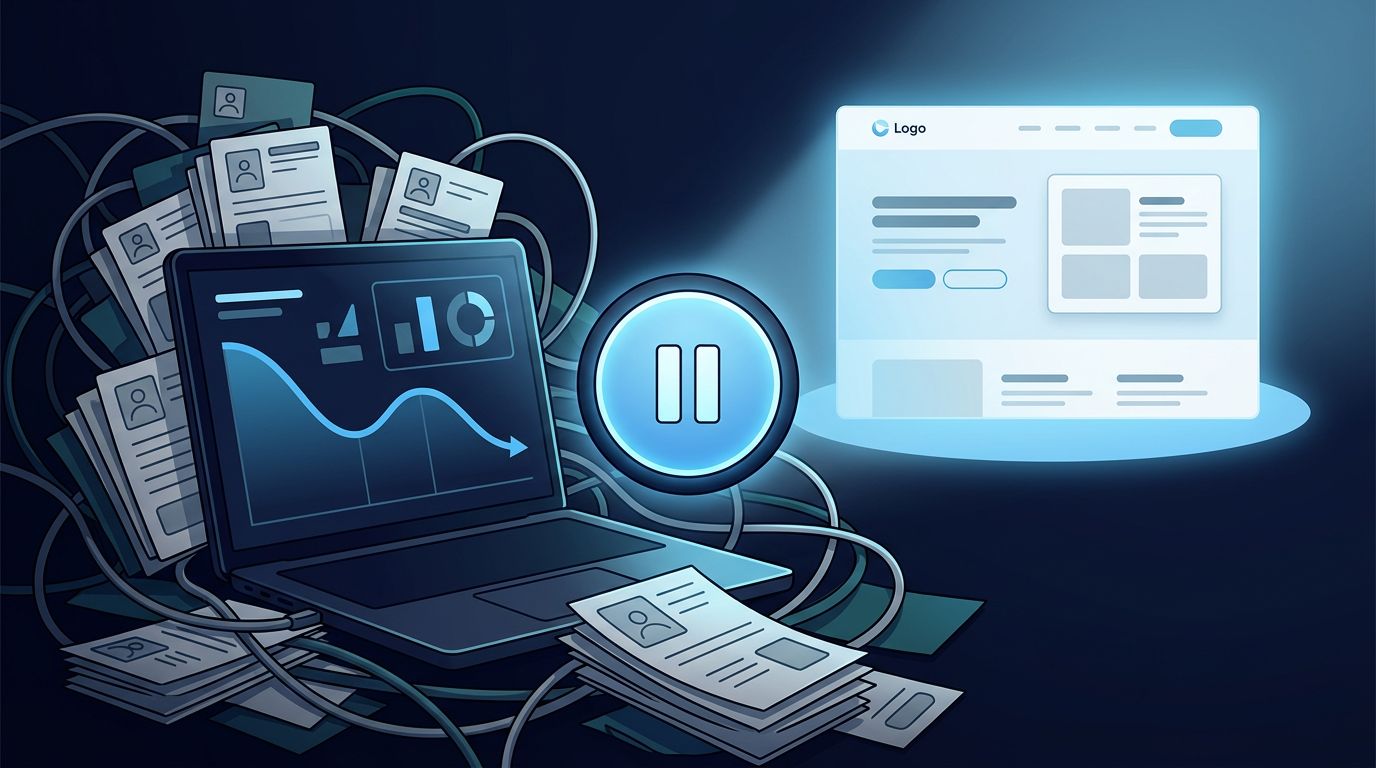


  • When a SaaS Should Stop Publishing New Blog Posts

    Publishing another blog post feels like progress. It fills the content calendar, gives the team a clean deliverable, and makes the marketing engine sound busy.

    But a SaaS content strategy can turn into a factory for pages nobody needs. Before publishing more, ask what the existing library is doing. Does it serve your ideal customer profile, create a measurable business outcome, and deserve more investment? If new posts don’t earn attention, trust, or pipeline, more volume won’t rescue the plan. It’ll only make the mess bigger.

    Stopping new publishing isn’t giving up on content. It’s an allocation decision, and your next useful move might be fixing what you’ve already built.

    Key Takeaways for SaaS Content Strategy

    • Pause your content marketing strategy when the library has decaying, duplicated, or commercially disconnected assets. Update use case pages, product information, conversion paths, and other unfinished work before creating another top-of-funnel post.
    • Treat traffic as a clue, not the finish line. Track product sign-ups, trial starts, qualified demos, activated accounts, pipeline, and retained revenue to see whether content is doing its job.
    • Keep publishing when you have something competitors can’t cheaply copy. First-party data, implementation lessons, customer stories, and real product experience still earn attention in search and AI answers.

    A pause needs explicit content marketing goals, a named owner, and a deadline. Otherwise, it becomes the kind of “strategic reset” that quietly turns into six months of nobody owning the blog.

    When Your SaaS Blog Needs a Publishing Pause

    The decision isn’t about whether blogging is dead. It’s about whether your current production line is creating useful assets or fresh clutter.

    A blog with 300 thin, overlapping articles isn’t an asset. It’s a garage full of unopened boxes.

    Three marketers review content cards and analytics around a table.

    Your New Ideas Sound Like Old Ideas

    Take a hard look at the backlog. If it is packed with “What Is…”, “How to…”, and generic list posts that could fit any software company, hit pause.

    Search engine optimization is changing because search results and AI answers increasingly satisfy interchangeable definitions. Those queries once brought reliable top-of-funnel traffic. Now, many are answered directly in search results and AI Overviews. A 2026 study of AI Overviews and Wikipedia traffic estimated a 15% decline in daily traffic to affected English articles.

    That doesn’t mean informational content is useless. It means the generic answer is becoming a commodity. When your team has real product or customer evidence, replace the definition with useful use case pages. Otherwise, don’t publish another reheated answer.

    The Blog Has No Route to Revenue

    A post can rank, attract thousands of visitors, and still produce nothing but a cheerful line chart. Brutal, but common.

    Pause when organic website traffic keeps rising while product sign-ups, demo requests, and activated users stay flat. Also pause when the same pages have been “almost converting” for months. Hope isn’t a reporting category.

    For B2B SaaS companies, content has to meet people in a real buying moment. Judge each proposed page against your ideal customer profile. Prioritize bottom of funnel topics, including category pages built around software category keywords, competitor alternatives, integration guides, and detailed use case pages. It won’t always look glamorous. It will look useful.

    Audit the Library Before Creating More Work

    Most content teams don’t have an output problem. They have a decision problem. A content marketing strategy needs a content lifecycle strategy, so every page has a defined next action.

    That reluctance is understandable. It is also expensive.

    Overhead desk showing content pages, a magnifying glass, traffic graph, and review groups.

    Sort Every Meaningful Page Into Four Buckets

    Start with content performance signals: pages that once had traction, pages with declining rankings, and use case pages closest to trials or demos. Use keyword research tools to check whether important software category keywords still match current demand and page quality. You don’t need a dramatic sitewide purge on a Tuesday afternoon.

    Give each page one honest outcome:

    • Keep it when it answers the query well, earns qualified visitors, and supports the buyer journey.
    • Update it when the premise is sound but the examples, screenshots, product details, or competitive context are stale.
    • Merge it when several posts fight for the same search intent and leave readers with fragments.
    • Remove or deindex it when it is thin, inaccurate, duplicative, or has no realistic path back to usefulness.

    Google’s people-first content guidance asks a better question than “Can we rank for this?” Ask whether someone who lands on the page leaves with enough to make progress.

    Find the Pages Worth Saving

    Don’t refresh an article by changing the publish date, swapping three adjectives, and calling it a resurrection. Readers can smell that move from space.

    Bring in the things your company knows because it has lived them. A substantive refresh becomes product-led content when it adds product screenshots showing a real workflow. Include implementation details, customer language from calls, and clear trade-offs.

    A strong refresh can also turn a broad educational post into a product-adjacent resource or strengthen use case pages with real workflow evidence. A guide on project intake, for example, becomes more useful when it shows how teams set up approvals and templates. It can also show ownership and reporting inside the tools they use.

    What Still Deserves a New Blog Post

    A publishing pause isn’t a vow of silence. It’s a filter for your content marketing strategy, deciding which topics earn a place. The point is to stop making posts because the calendar has an empty Tuesday.

    Publish Where Your Product Has Earned an Opinion

    Your best new topics usually sit close to an expensive customer problem, especially for readers at the bottom of funnel. They answer questions a buyer asks while comparing options, setting up a workflow, or trying to fix something that broke at 4:47 p.m. The strongest use case pages make those problems concrete, showing the stakes and a practical path forward.

    Think software category keywords, integration pages, migration guides, use case pages, and honest competitor alternatives. Ahrefs has long built much of its organic growth around practical SEO problems its product can help solve, a focused approach that compounds topical authority. Zapier does something similar with automation workflows that make the tool feel concrete before the reader ever starts a trial.

    The product shouldn’t crash through the paragraph wearing a sandwich board. Product-led content should teach a workflow through the product because it belongs in the solution, not because it’s an advertisement.

    Build Content AI Systems Can Actually Cite

    AI search has made broad, interchangeable content less attractive. A language model can summarize “how to improve team productivity” before your page gets a chance to say hello.

    Give it material worth referencing instead. Publish original survey results. Build use case pages around original workflow evidence from your support team. Quote named customers with permission. Show where a popular approach fails, then show the fix.

    This is where a SaaS content strategy gets more human, not less. Evidence-backed use case pages stand apart from interchangeable generic guides because they offer a point of view grounded in real work. That’s thought leadership with receipts, not a vague brand claim.

    Measure Content by What Happens After the Click

    Judge a content marketing strategy by whether content performance meets defined content marketing goals, not by pageviews alone.

    Pageviews are easy to find and weirdly hard to quit. They’re also a poor reason to keep paying writers, designers, and subject-matter experts.

    Track the Conversion Chain

    In Google Analytics 4, mark the actions that matter as conversions: trial registrations, demo requests, paid upgrades, and qualified lead submissions for lead generation. Use marketing analytics to evaluate a realistic content distribution plan, with Google Analytics tools connecting channel activity to the customer journey. Setup still has to match your actual funnel.

    Then connect web behavior to product analytics and CRM data. Track activated accounts, sales opportunities, annual recurring revenue, customer retention, and customer acquisition cost by content group.

    A reader may not convert on their first visit, even when organic website traffic is rising, and that’s normal. What isn’t normal is treating every visitor like a win when none of them become customers.

    Give Content a Fair Test, Then Make a Call

    Use a window that fits your sales cycle: a self-serve tool may show meaningful signals in 30 days. B2B SaaS companies may need 90 days or longer before pipeline appears.

    Review content by intent, audience, and topic cluster, not as one giant blog number. Group results around software category keywords and your ideal customer profile. Bottom of funnel pages, including use case pages, should earn conversion activity; broader educational pages may support branded search, email subscribers, or assisted conversions. After a fair test, compare page-type cohorts, including use case pages, and move the budget if a group does none of those things.

    Content marketing ROI is allowed to be complicated. It is not allowed to be invisible.

    FAQs About SaaS Content Strategy

    Should a SaaS Stop Blogging Completely?

    Usually, no. Stop publishing low-value posts, not useful ideas. Keep creating when you can share original data, customer experience, practical product education, or timely market insight tied to a business goal.

    How Long Should a Publishing Pause Last?

    Set a defined four-to-eight-week sprint. Use it to audit existing pages, update high-potential assets, fix conversion paths, and choose new topics that earn their place.

    Which Posts Should We Update First?

    Start with pages ranking on page two or three, attracting qualified visits, or sitting near a trial or demo conversion. Prioritize use case pages when they support that next step. Improve the proof, clarify the reader’s need, and strengthen the next action.

    Publish Less, Prove More

    The blog calendar isn’t a measure of ambition. The business outcome is.

    A smaller library packed with useful, defensible content, such as use case pages, will beat a warehouse of generic posts built for traffic. That traffic rarely turns into trust. Stop publishing when the next article is only more noise, then put that energy into a repeatable content lifecycle strategy so useful work can finally compound.


  • SaaS Content Briefs Freelance Writers Will Use

    Bad drafts from freelance writers rarely fail because they can’t write. They fail because someone handed them a keyword, a 1,500-word target, and a search volume screenshot, then called it a plan.

    If you want SaaS content briefs that a freelancer can turn into credible, conversion-aware posts, the brief must carry the context trapped in your head. Keyword research can show what people type, but it can’t explain who they’re trying to help, what problem matters, or why your product belongs in the answer.

    A strong content brief doesn’t control every sentence. It gives the writer a sharp lane, a map, and enough product truth to avoid producing another pleasant blog post nobody remembers.

    Key Takeaways for SaaS Content Briefs

    • A useful content brief starts with a buyer and their problem, not a keyword volume screenshot.
    • Name the funnel stage, product capability, objection, and next action before assigning the draft.
    • Give freelance writers product context before drafting begins, before assumptions harden into 1,800 words of confident nonsense.
    • Judge content by qualified conversions and pipeline influence, not traffic alone.

    Traffic Is a Signal, Not the Scoreboard

    Organic traffic feels good. It’s tidy, visible, and easy to report in a Monday meeting.

    But a high-traffic article can still miss its target audience if it attracts people who’ll never buy. A project-management platform that ranks for “how to be more productive” may bring in students, job seekers, and people rearranging their sock drawers. Great audience. Wrong commercial moment.

    Your content brief needs to state the job of the content within your content strategy. Awareness content might introduce a category, evaluation content can help a team compare tools, and commercial content should answer a technical objection or move an active evaluator toward bottom-funnel ctas.

    That distinction changes everything, including the angle, examples, product mentions, CTA, and metrics. Awareness content may prioritize engagement, while commercial content should drive demo requests or free trial signups.

    Salesforce’s guide to B2B content marketing makes the larger point well: content marketing needs a content strategy tied to business goals and revenue growth. In practice, that means every assignment needs a reason to exist beyond “this keyword looks promising.”

    Start with the buying conversation. Keyword research and on-page seo still matter, obviously, but they can’t be the whole meal.

    Build a Focused Content Brief Around a Real Buying Moment

    The strongest briefs answer six buying questions before freelance writers open a blank document:

    1. Who is the reader? Name an ideal customer profile (ICP), not a vague role. “Heads of customer support at 100 to 500-person SaaS companies” is useful. “Business leaders” is fog. The reader may also represent several stakeholders on the buying committee.
    2. Where are they in the buyer journey? A first-time learner needs definitions and options. A buyer comparing platforms needs proof, trade-offs, implementation detail, and a reason to act.
    3. What pain is pressing right now? Be concrete. A support leader isn’t looking for “efficiency.” They’re trying to stop response times from climbing after a product launch.
    4. What product capability belongs in the answer? Point to one or two relevant features, workflows, integrations, or outcomes, and keep the content brief focused on them. Don’t force the writer to stuff your whole platform into a 2,000-word article.
    5. What alternative are they weighing? That might be a competitor, a spreadsheet, an internal process, or doing nothing. Use competitor analysis to clarify the trade-off. Comparison pages and alternative pages work because they meet buyers when the trade-off is already on the table.
    6. What should happen next? Set one logical action, such as reading a use-case page, starting a trial, using a calculator, or booking a demo.
    A freelance writer works at a minimalist desk with a laptop and printed brief.

    Product-led content is not a feature dump wearing a blog-post costume. Traditional educational content can explain a problem well. Product-led content goes one step further. It shows how a real workflow changes when your product is part of the solution.

    The six-part SaaS brief framework reflects these buying questions and offers a solid minimum: ICP, buying stage, capability, alternative, objection, and next action. Add the human detail your company has earned through sales calls, onboarding friction, and customer interviews.

    A brief should tell a writer what to leave out. A focused product role is more believable than a full-platform sales pitch.

    A Content Brief Template Writers Can Actually Use

    A content brief shouldn’t require three Slack threads, a product tour, and a psychic reading to understand an assignment. Freelance writers should be able to start with one shared document that holds the raw material.

    Use this structure for every brief:

    1. State the article’s promise in one sentence. Name the reader, problem, and outcome. Make sure it answers the reader’s immediate buying questions. Example: “Help support leaders evaluate AI ticket-routing software before their queue overwhelms the team.”
    2. Define the reader and search intent. Define the target audience by company size, role, maturity, trigger event, and buyer stage. Add the primary query and a few supporting terms, but don’t make the keyword list the plot.
    3. Share the angle and SERP gap. Use competitor analysis to review three or four ranking pages. Explain what they’re missing, such as implementation guidance, pricing context, developer concerns, or a clearer comparison.
    4. Give the writer product truth. Get positioning, approved claims, and competitive context from product marketing. Include feature notes, screenshots if relevant, customer language, product documentation, and phrases they should avoid. If a claim needs legal approval, say so upfront.
    5. Outline the argument, not every paragraph. List the major sections, the proof each one needs, and any sources worth using. Leave the writer room to think. You hired a professional, not a human autocomplete button.
    6. Set conversion and editorial requirements. Name internal pages to link, the CTA, desired length range, voice notes, metadata needs, headings, other on-page SEO requirements, and due date. For commercial or comparison-oriented assignments, specify bottom-funnel CTAs or free trial signups. Flag whether the draft needs a comparison chart, expert quote, or hands-on test.

    The missing ingredient is often access to subject matter experts. Introduce freelance writers to a product manager, solutions engineer, customer-success lead, or founder before drafting begins. Even a 20-minute recorded conversation can surface caveats that turn generic advice into a piece a buyer trusts and prevent avoidable revision rounds.

    Make Briefing a Repeatable Team Habit

    Detailed briefs can sound like extra work because, yes, they are work. But revision rounds are work too, only more expensive and much more annoying.

    Don’t ask one overloaded content lead to research every keyword, interview every expert, write every brief, and somehow keep publishing. Split the inputs.

    A content marketer owns audience, intent, the outline, broader content strategy, and content distribution. Product marketing supplies positioning, proof points, and competitive context. An SME gives the writer practical detail. The freelance writers bring research, structure, and judgment.

    A SaaS marketing team plans a content calendar on a whiteboard.

    Build a small evidence bank as you go. Save sales-call snippets, objection notes, product-release summaries, customer stories, approved claims, and useful screenshots. Then your next content brief begins with real material instead of a fresh panic spiral.

    This is also where comparison pages get better. A “Brand A vs. Brand B” article needs fair criteria, current facts, competitor analysis, and an honest answer to who shouldn’t choose you. Product marketing must own comparison claims and provide current, defensible competitive positioning. Freelance writers can write those pages well. They shouldn’t be asked to create that positioning from incomplete product information.

    Review Content Against Business Outcomes

    A content brief becomes useful when you can trace its intended result after publishing and evaluate broader content performance.

    For top-of-funnel content, watch qualified organic traffic, email sign-ups, engaged visits, and movement into relevant product pages. For middle-funnel pieces, track demo assists, free trial signups, and return visits from target accounts. For customer education, track customer retention only when retention is the goal. Bottom-funnel comparison pages should be judged by conversion rate, opportunity creation, pipeline influence, and bottom-funnel CTAs.

    Don’t reduce attribution to a last-click cage match. Someone may read a category guide in January, a use-case article in March, and a comparison page before booking a demo in April. That buyer journey can inform pipeline influence reporting beyond the final click. Track those touches in your CRM or analytics setup.

    Directive’s B2B SaaS content marketing guide offers a useful reminder that qualified pipeline matters more than vanity traffic. Your reporting should show which pages, including comparison pages, appear in real buying journeys, not only which pages win a monthly traffic chart.

    When a post misses, inspect the brief first: was the ICP right, was product evidence strong, and did the intent match the reader? Check whether bottom-funnel CTAs fit that intent, competitor analysis is current, and on-page SEO supports the page. A weak assignment can create unnecessary revision rounds, so diagnose it before blaming freelance writers for following a flimsy assignment.

    Frequently Asked Questions

    What should a SaaS content brief include?

    A useful brief should define the reader, buyer stage, pressing problem, relevant product capability, alternative, and next action. It should also include the article’s promise, search intent, angle, product evidence, outline, CTA, and editorial requirements.

    How much product detail should freelance writers receive?

    Give writers enough product truth to explain the relevant workflow, approved claims, competitive context, and limitations. Don’t turn the brief into a feature dump or expect the writer to reconstruct the product from a website tour.

    Should SaaS content briefs focus on keywords or conversions?

    Keywords and on-page SEO help a page earn attention, but they shouldn’t be the whole assignment. The brief should connect search intent to a buying moment, a useful product role, and one logical next action.

    How should SaaS content performance be measured?

    Measure the outcome that matches the funnel stage, such as qualified traffic, product-page movement, free trial signups, demo assists, conversion rate, or pipeline influence. Don’t judge every article by traffic alone or reduce a multi-touch buyer journey to a last-click report.

    A Brief Is the Work Before the Work

    Freelance writers don’t need more rules. They need better context.

    Give them the buyer’s moment, the product’s honest role, the proof behind the claims, and a clear next action. That makes bottom-funnel CTAs feel earned rather than forced.

    Those briefs will produce fewer revision rounds, stronger consistency, and content that connects qualified conversions to pipeline influence.

    The content brief is where a topic becomes a business case. Treat it that way.


  • How to Create SaaS Templates That Generate Qualified Leads

    A traffic spike can feel like progress right up until your sales team opens the CRM and finds personal email addresses, students, and people seeking a quick answer, not your product.

    That is why SaaS lead generation templates need more than a pretty layout and a submit button. Their value proposition should create a useful moment for the buyer, collect the context your team needs, and support a broader lead generation strategy. They should also match the specific questions behind long-tail keywords.

    The goal isn’t more leads. Each asset should move the right prospects toward an intentional sales funnel stage. That means fewer awkward handoffs and more people who can genuinely buy.

    Key Takeaways

    • Start with a buyer decision, not a blank landing page or a pile of keyword volume. Map search intent, including long-tail keywords, to the right template.
    • Ask for information in stages, after you’ve given the visitor a reason to keep going.
    • Use calculators, qualification surveys, demo forms, and trial offers for different levels of intent.
    • Send every submission into your CRM with source data, lead score, and the template that captured it.
    • Track cost per lead, but judge performance by pipeline value, qualified opportunities, and closed revenue.

    Why SaaS Lead Generation Templates Need a Job, Not a Pretty Layout

    A template shouldn’t exist because someone said you need a lead magnet.

    It should exist because your buyer is stuck. They’re trying to estimate a budget, explain a problem to their boss, compare options, or figure out whether switching software would be a colossal pain in the ass. Specific search queries, especially long-tail keywords, can reveal which decision they’re trying to make.

    Give them a useful answer, then earn the right to continue the conversation.

    Before opening Figma or picking a form builder, define your ideal customer profile and the template’s value proposition. Then write one plain sentence:

    “This template helps [a specific buyer] make [one decision] with less guesswork.”

    That sentence forces clarity. A budget estimator for a 20-person support team has a job. A generic contact form, like too many lead generation forms, has no job. It is a digital shrug.

    The strongest SaaS lead generation templates sit close to a purchase decision. They help someone calculate savings, assess readiness, diagnose a workflow problem, or book time with the right person. Enterprise account-based marketing works best when the template targets a defined account or buying group. The form is only the container. The value is the answer on the other side.

    Don’t confuse curiosity with intent, either. Someone who downloads a broad industry report may still be a useful lead. Someone who enters their team size, current spend, contract date, and integration requirements is much closer to a sales conversation.

    Build Four Templates Around Buyer Intent

    You don’t need 17 campaigns firing into the void. Start with a small group of lead generation forms that match where prospects are in the sales funnel.

    Match each template to a specific buyer question or search query, including relevant long-tail keywords. Each one should promise a useful outcome through a clear value proposition and next step.

    The Demo Booking Form for High-Intent Buyers

    A demo booking form works best when the visitor already understands the category and wants a closer look at your product.

    Ask for the basics first: name, work email, company, and role. Then use a second step to ask what matters to your sales team, such as team size, current tool, main problem, and purchase timeframe.

    That split matters. In a multi-step form, four fields on the first screen feel manageable, while nine feel like paperwork.

    When intent is obvious, route the visitor from the demo booking form directly to a sales calendar.

    For B2B SaaS teams, the SaaS lead generation template examples from involve.me show how demo requests can sit beside more interactive content, rather than carrying the entire lead generation strategy alone.

    The ROI Calculator for Problem-Aware Prospects

    A good pricing calculator turns a vague promise into numbers a buyer can take into a meeting.

    Ask for inputs they already know, such as monthly ticket volume, headcount, average contract value, hours spent on manual work, or current software costs. Keep the math and assumptions visible enough to make the ROI calculator feel credible. If the estimate relies on assumptions, say so.

    Show a useful result before demanding an email. Then offer a detailed breakdown, a PDF summary, or a tailored walkthrough as a useful lead magnet in exchange for contact details.

    Laptop showing a dark pricing calculator beside coffee and a small succulent.

    An interactive ROI calculator template can be a strong starting point, but don’t copy generic questions into your funnel. The inputs should sound like your buyer’s actual week.

    The User Qualification Survey for Better Routing

    A short survey is useful when your product has different use cases, pricing tiers, or sales paths.

    For example, a project management platform might ask whether the visitor leads an agency, internal marketing team, product organization, or client services group. The next question can change based on that answer.

    This isn’t a sneaky quiz designed to trap someone into a calendar invite. It is a way to show the right resources, route enterprise accounts to sales, and let smaller teams start on their own.

    Use answers to add tags in your customer relationship management system and update lead scores. Your lead generation software should pass that context into the right sales and onboarding paths.

    A prospect with a large team, a painful current process, and a near-term timeline needs a different follow-up than someone researching for next year.

    The Free Trial or Freemium Readiness Form

    A free trial can drive customer acquisition, but a trial signup is not automatically a qualified lead. Plenty of people sign up because they have 15 minutes between meetings and an optimistic personality.

    Ask for only what helps the first product experience. Work email, role, company size, and primary use case are usually enough. Then use onboarding prompts inside the product to collect more context once users see value.

    A freemium model works when the product delivers an early win without a human on the other end. If activation depends on setup, integrations, or training, pair the trial with a helpful onboarding path and an option to talk.

    Together, these four lead generation forms serve different intent levels, from early research to a product-ready conversation.

    Make Multi-Step Lead Generation Forms Feel Easy

    People aren’t afraid of lead generation forms. They’re allergic to forms that demand a life story before offering anything useful.

    A multi-step form reduces that initial friction because the first question feels easy to answer. Start with a decision the visitor cares about, and explain the value proposition before the first question. Collect contact information after they’ve committed a little attention.

    A tablet showing a multi-step lead form on a minimalist desk with a notebook.

    Use conditional logic where it earns its keep. A founder shouldn’t see enterprise procurement questions. A company with 500 employees shouldn’t be pushed into a self-serve tutorial.

    Be honest about progress, too. Test the multi-step form as a complete journey, including its progress indicators, and judge its conversion rate by completion quality. Don’t show a cheery “Step 1 of 2” if six more screens are waiting backstage. That little bait-and-switch kills trust fast.

    Lead generation software such as Typeform, HubSpot, and interactive B2B SaaS funnel builders can handle branching paths and CRM connections. The tool matters less than the questions. Every question your lead generation forms ask should affect routing, personalization, qualification, or the answer the prospect receives.

    Connect Every Template to Pipeline Revenue

    This is where many otherwise decent campaigns fall apart.

    Someone fills out a calculator. The submission enters your lead generation software, while its source data flows into your customer relationship management system, such as HubSpot or Pipedrive. A sales rep follows up. Then three months later, nobody can tell whether that calculator produced revenue or merely collected email addresses.

    Fix the data flow before you publish.

    Every one of your lead generation forms should pass hidden fields for first-touch source, campaign, landing page, referral URL, and template name. Keep both original and most recent source data. A prospect may find you through organic search, return through a retargeting ad, and convert on a demo form. Overwriting one source with another gives you a tidy report and a false story.

    Preserve account or buying-group identifiers for account-based marketing, and retain organic-query data for long-tail keywords. If someone uses an ROI calculator, pass its inputs and originating template into the CRM. Use automated email workflows to route follow-up based on the template and lead stage. Compare individual lead generation forms by qualified outcomes, not volume alone.

    Marketing qualified leads (MQLs) meet marketing’s agreed fit and engagement threshold. Sales qualified leads (SQLs) have a plausible opportunity that sales confirms is worth working. Define both in writing, with actual criteria, not in somebody’s head.

    Track these numbers by template:

    • Cost per lead: campaign spend divided by captured leads.
    • Cost per MQL and cost per SQL: the same spend divided by leads that cleared each qualification bar.
    • Pipeline value: the amount of open opportunity value tied to leads from that template.
    • Closed-won revenue: revenue tied back to the originating campaign and template.

    Read pipeline value alongside conversion rate and downstream opportunity quality, not in isolation.

    Create two reporting views with dashboard templates. The first should show acquisition efficiency. The second should use dashboard templates to show sales and revenue outcomes.

    Visitor-level lead generation analytics can add useful context, but don’t let a dashboard turn into expensive wallpaper. If a template attracts cheap leads that never become opportunities, it is not working. It is just busy.

    Lead Nurturing Without Pretending They’re Ready

    Not every submission through lead generation forms signals immediate buying intent. That’s normal. Treating every form fill like a sales emergency is how good leads disappear.

    Build automated email workflows around the template someone used. The lead magnet should shape the follow-up, with email marketing tied to the prospect’s original question. A calculator user might receive the assumptions behind their estimate, a customer story, and an invitation to validate the numbers with your team. A survey user might get a tailored workflow guide. A trial user needs help reaching their first meaningful outcome.

    Keep each sequence connected to the promise they acted on. No one wants to download a benchmark report and wake up in a seven-email ambush about enterprise pricing.

    Sales outreach should change with intent, too. Connect the form, CRM, and outreach through lead generation software. A thoughtful note about their calculator result beats “Just bumping this up” every time.

    Make the Template Earn Its Place

    The best lead generation forms don’t chase attention for attention’s sake. They make a useful template work as a lead magnet when it gives the buyer a meaningful answer backed by a clear value proposition.

    Start with one decision your best prospects struggle to make, and build the smallest useful template around it. Make that decision-focused experience useful for visitors arriving through specific long-tail keywords. Then watch post-form results: qualified pipeline and pipeline value matter more than attention, with closed revenue the ultimate test.

    FAQs About SaaS Lead Generation Templates

    Which lead generation forms Should You Start With?

    Start with a demo booking form if your product already has demand and sales involvement. Choose a cost estimator when buyers need to justify cost. Use a qualification survey when different customer types need different paths. Self-serve templates fit products that can deliver value quickly without a sales call.

    How Does an ROI Calculator Improve Lead Quality?

    Calculators ask prospects to enter real business inputs, such as team size, budget, or current costs. That information reveals intent and gives sales useful context for follow-up. Visitors also get a meaningful estimate instead of another vague PDF.

    Should You Gate the Results of a SaaS Calculator?

    Usually, no. Show a meaningful high-level result first. Then offer a detailed report, saved calculation, or custom assessment in exchange for an email. Holding every result hostage often creates low-quality submissions from people who only wanted the answer.


  • SaaS Security Pages That Move Enterprise Deals Forward

    Enterprise deals rarely collapse because a sales team missed one clever line of copy. They stall when a security reviewer opens your site and finds vague promises, a badge carousel, and nowhere to put their questions.

    SaaS security is part of the enterprise buying experience, not legal content tucked into the footer. A clear shared responsibility model shows reviewers which security responsibilities belong to the vendor and which remain with the customer. Build these pages well, and your site answers hard questions before the sales call gets awkward.

    Key Takeaways for SaaS Security Pages

    • Enterprise buyers need assessable proof, including how you prevent and manage security misconfigurations, not a reassuring paragraph about “taking security seriously.”
    • Separate pages for compliance, identity, data protection, and integrations match how security teams search and review vendors.
    • Public content should explain your controls clearly, while sensitive documents such as audit reports can stay behind an NDA.
    • Ownership matters. When security, product, legal, and sales don’t agree on the answer, your page will eventually tell on you.

    What Enterprise Cloud Product Security Must Do

    SaaS security combines cloud security controls and operating habits that protect cloud-based applications, their users, and data. They include identity and access management, secure configuration that limits security misconfigurations, threat detection, and compliance monitoring. Data protection and an incident response plan also help reduce the likelihood and impact of data breaches.

    A multi-tenant product carries extra baggage. Buyers want to understand how customer data is isolated, what access control policies apply when an employee leaves, how APIs are secured, and who can access production systems. They also want to know where the shared responsibility model puts each obligation and which security policies define the vendor’s role versus the customer’s.

    A monitor showing an enterprise security dashboard in a modern blue-lit office.

    Marketing loves a tidy story. Enterprise reviewers need particulars.

    Your security content should help both people get what they need. A demand-gen leader needs search visibility around real buyer questions. A security leader needs accurate answers they can forward internally without adding, “Please verify this with someone technical.”

    The page that earns the search visit is not always the page that clears the security review. You need both.

    Build a Page System, Not One Overstuffed Trust Center

    Trying to cram every security claim into one trust-center page creates a small administrative scavenger hunt. The buyer scans it, finds a SOC 2 badge, and still has no answer about SCIM provisioning or integration security.

    Start with four to six focused URLs, not 40 thin pages wearing different hats. A focused URL system gives enterprise buyers and searchers a destination for a specific SaaS security question.

    The Pages Buyers Actually Need

    • A security overview can explain your security model, the shared responsibility model, and incident-response approach in plain English. It should also help buyers prevent security misconfigurations.
    • Compliance pages should cover SOC 2, GDPR, HIPAA, ISO 27001, or other frameworks only when they genuinely apply to your product.
    • An identity and access management (IAM) page can document SSO, SCIM, and multi-factor authentication (MFA). It should also cover role-based access controls, access control policies, least privilege, and zero trust architecture.
    • A data-protection page should explain encryption, retention, deletion, backups, processing locations, and data loss prevention (DLP).
    • An integrations and AI page can address API security, OAuth scopes, third-party integrations, and model training. It should explain permissions, revocation paths, and data flows between cloud-based applications.

    This structure gives enterprise SEO something real to work with. A buyer searching for “SOC 2 SaaS vendor,” “Salesforce integration security,” or “SCIM provisioning” has a destination built for that question, not a generic homepage in a blazer.

    A Cloud security SEO playbook shows how compliance and integration pages can align with high-intent searches. The important part is restraint. Don’t clone the same 300 words across framework pages and swap the acronym.

    Gate the full SOC 2 report if you need to. That’s sensible. But don’t gate every useful answer. A public-facing page can state the report type, audit period, scope, Trust Services Criteria, and process for requesting access without handing the internet your complete security file.

    Turn Controls Into Searchable Proof

    SOC 2 is often the first trust artifact enterprise buyers ask about. A SOC 2 Type II report isn’t a shiny certification sticker. It’s an independent attestation by a licensed CPA firm that evaluates controls over a defined period.

    Your page should say what the report covers, when it was issued, and how qualified buyers can review it. If availability, confidentiality, or privacy are in scope, say so. If they aren’t, don’t play word games around the omission.

    Security architect reviewing cloud logs at a blue-lit workstation.

    The same rule applies to every claim. “Enterprise-grade encryption” is fog. “Encryption in transit and at rest, with documented key-management controls” gives a reviewer something to assess.

    Frame the controls through the shared responsibility model. Public proof should clarify who owns each risk, rather than imply the vendor owns them all:

    • Explain who has production access, how access is approved, and how it is removed. Document the access control policies that govern those decisions.
    • Describe audit logs, monitoring, penetration testing, and vulnerability management. Provide evidence of remediation and controls that reduce security misconfigurations. Summarize the incident response plan and communications process only at the level you can prove.
    • Show your sub-processor list and explain what buyers can review about third-party integrations. Include privacy documentation and a data processing agreement where appropriate.

    Good SaaS security content doesn’t inflate the product. It reduces the work required to understand it. That difference sounds small until your prospect has six vendors open in browser tabs and two days to make a recommendation.

    Explain SSPM, IAM, and Integrations Without Hand-Waving

    SaaS security posture management (SSPM) helps teams find security misconfigurations across the cloud apps they use. An SSPM deployment can monitor risky sharing settings, weak identity controls, unused accounts, and configuration drift before they become a problem.

    That doesn’t mean an SSPM tool magically makes your product secure. It gives you visibility into a messy SaaS estate where Salesforce, Microsoft 365, Google Workspace, Slack, and dozens of smaller tools can accumulate permissions like lint in a pocket. Remediation still depends on owners and workflows.

    Cloud access security brokers (CASB) help apply policies to data moving between users and cloud-based applications. A CASB can enforce rules around uploads, downloads, and sharing. Data loss prevention (DLP) can identify and block sensitive information from going where it shouldn’t. Together, CASB controls and DLP rules make those decisions visible and enforceable.

    IAM controls who gets into each application and what they can do. MFA and least privilege shape access control policies within a Zero trust architecture. Those controls should also define what happens when access is revoked.

    Shadow IT is not a bad-user problem. It’s what happens when work moves faster than approval processes. Shadow SaaS and unapproved AI tools can create unknown OAuth tokens, excessive permissions, possible data exposure, and a supply-chain problem nobody put on a roadmap.

    Your integration page should name the questions, even when it can’t publish every technical detail. Cover data scope, OAuth permissions, token storage, webhooks, API security, and third-party reviews for third-party integrations. Explain the offboarding path and revocation under a shared responsibility model, including who owns each AI-data boundary. A buyer doesn’t need a logo quilt; they need clear answers about revocation, AI data retention, and model training.

    As AI workflows become part of the stack, an iboss SSPM announcement is a useful reminder that posture visibility is expanding. Your own pages should still explain the basics: what data enters an AI feature, whether it is retained, and whether it is used for model training.

    Give Sales a Clean Route Through Procurement

    SaaS security content is only useful when the team can keep it current. Give every page a named owner, a review cadence, and a clear escalation path for questions related to security policies that can’t be answered publicly.

    Sales should know which overview to send first and when to offer the SOC 2 report. Route questions about the shared responsibility model, or DLP evidence in a questionnaire, to security, product, legal, or compliance. Otherwise, every enterprise deal becomes a fresh round of Slack archaeology. Nobody enjoys that part.

    A cybersecurity SaaS demand-system rebuild that included SOC 2 and SIEM-focused pages makes the point well: high-intent security content belongs in the demand system, not in a forgotten compliance folder.

    Track more than rankings. Look at organic visits to security pages, report requests, security-review completion time, compliance monitoring, influenced pipeline, and the questions that keep repeating. Repeated questions are page ideas wearing a disguise.

    FAQs for Enterprise Security Reviews

    Should Our SOC 2 Report Be Public?

    Usually, no. The report often stays behind an NDA because it contains sensitive details. Your public page should still state that a current report is available, explain its scope, and give qualified buyers a clear request path.

    How Many Security Pages Do We Need?

    Start with the questions you hear in deals now. Most SaaS companies need a security overview, compliance page, identity page, data protection page, and integrations page before they need a sprawling resource library.

    Can Technical SaaS Security Content Rank in Search?

    Yes, if it answers a specific buyer question with original, accurate information. Pages built around real controls, integrations, frameworks, and implementation details have a better chance than vague content written for a keyword tool.

    The Page Is Part of the Product

    Enterprise buyers aren’t looking for perfection. They’re looking for clear, accurate proof that your company understands the responsibility it asks them to share.

    When your SaaS security pages make that proof easy to find, sales can spend less time chasing answers and more time having the conversation that first interested the buyer.


  • How to Optimize SaaS Pricing Pages for Organic Search

    A pricing page gets a strange kind of traffic. People land there with a credit card nearby, a procurement question brewing, and almost no patience for marketing gymnastics.

    That makes SaaS pricing page SEO different from optimizing another helpful blog post for organic search. You need to win the click, answer the cost question fast, and make the next step feel obvious, not like a scavenger hunt through feature jargon.

    Your pricing page isn’t where buyers come to be inspired. It’s where they come to decide, starting with a hero section that clarifies the product, price, and buyer outcome.

    Key Takeaways for a Clearer Pricing Page

    • Put your actual prices, billing terms, billing toggle, plan limits, and primary calls to action in static, crawlable page content.
    • Keep most B2B SaaS pricing structures to three or four pricing tiers, with a clear audience and outcome for each.
    • Treat the first 20 seconds as sacred. A buyer should understand your product, price, and best-fit plan without decoding a spreadsheet.
    • Separate a pricing-model experiment from a design test, or you’ll have no clue what caused the lift or slump.
    • Write for people and AI systems alike. Clean headings, accessible controls, schema markup, trust signals, and concise FAQs help both.

    A clear pricing page gives high-intent visitors a straight answer before asking them to trust you with their time, budget, or inbox.

    Why Your Pricing Page Carries So Much Weight

    A visitor searching “[your product] pricing” isn’t browsing for fun. They’ve heard about you, compared a few options, or landed on a SaaS pricing page with one question: what will it cost?

    That’s commercial intent with teeth.

    Your homepage can tell a big story. Your product pages can show the magic. Your blog can attract new demand for months or years. The pricing page has a narrower job: explain what someone pays, what they get, and whether this is a sensible next move.

    If it hides the answer, people bounce. If it buries the answer under a fog machine of “custom solutions,” people assume the worst. Usually expensive. Sometimes annoying. Often both. Pricing transparency is one of the most useful trust signals on a pricing page. Clear answers can produce a better conversion rate among qualified visitors.

    Search engines also need a clear page to rank. A title tag such as “Product Pricing and Plans | Product Name” is more useful than vague copy about unlocking growth. Your H1 should say “Pricing,” your plan names should be visible text, and your feature language should match the questions prospects type into search.

    That doesn’t mean stuffing “affordable project management software pricing” into every crevice of the page. Please don’t do that to yourself or your readers.

    It means making the page worthy of the query. A visitor who searches for price should see price.

    Build a Pricing Structure Buyers Can Read in 20 Seconds

    The 20-second rule isn’t a scientific law handed down on a stone tablet. It’s a useful pricing page design test.

    Can a first-time visitor understand the product, see the starting price, spot the plan for their situation, and find a call to action in about 20 seconds?

    If not, the page has too much going on. That extra complexity increases cognitive load and can weaken conversion rate.

    Laptop showing a blue-accented SaaS pricing wireframe on a wooden desk.

    Start with a plainspoken hero section. Say what the software does and who it’s for, then make the value proposition clear. Put your pricing tiers where people can see them without scrolling through six paragraphs of throat-clearing.

    For most B2B SaaS products, three or four pricing tiers are enough:

    • A starter plan for individuals, early-stage teams, or people testing the product.
    • A core plan for the customer segment that gets the most value.
    • A higher-tier plan for larger teams, advanced workflows, or higher usage.
    • An enterprise option when security, procurement, support, or scale changes the buying process.

    Each card needs five answers: its target audience, price, billing period, point of difference, and next step. Make the call to action explain what happens after the click.

    If buyers can change billing cadence, keep one accessible billing toggle near the cards.

    Don’t make plan cards into tiny brochures. Give each tier a short list of meaningful inclusions, then put the full detail lower on the page in a feature comparison table. A detailed feature matrix can cover permissions, usage limits, integrations, reporting, storage, support, and security controls.

    A buyer shouldn’t need to open four tabs and start taking notes to understand why one plan costs more than another.

    Your visual hierarchy should guide the eye, not bully it. A subtle “Most Popular” label can help people orient themselves. A giant neon badge, three competing buttons, and a 17-item feature list create the exact decision fatigue you’re trying to avoid.

    Use plan names that mean something. “For Growing Teams” gives a buyer more to work with than “Professional,” especially when every SaaS company on earth seems to have a Pro plan.

    Use Search Intent Without Turning the Page Into a Keyword Salad

    The best SaaS pricing pages rank because they answer a cluster of related questions, not because they repeat one phrase until the copy loses the will to live.

    Start with branded intent:

    • “[Product] pricing”
    • “[Product] cost”
    • “[Product] free trial”
    • “[Product] annual plan”
    • “[Product] enterprise pricing”

    Then look at category and use-case questions your page can honestly answer. A project management tool might explain pricing by team size. An AI writing product might explain credits, documents, or user seats. A developer platform might explain API usage and overages.

    That copy belongs near the pricing cards, feature comparison table, and FAQ section. It can support rankings without hurting a healthy conversion rate. It doesn’t need to become a 2,000-word essay above the plans.

    Your SEO basics still matter. Give the page a unique title tag and meta description. Use one H1. Keep one canonical URL for the core pricing page. Don’t hide plan details inside image files, sliders that only render after a click, a billing toggle with inaccessible content, or an app shell that crawlers can’t reliably read.

    A focused pricing strategy makes the page more useful for branded and category queries, giving SaaS pricing page SEO a clear focus. It also prevents accidental keyword cannibalization. If you have a core pricing page, a separate enterprise page, and several product-specific pricing pages, each needs a distinct job, search intent, and relevant trust signals.

    The main pricing page can own broad branded pricing searches. Product pages can cover real pricing differences by product or use case. Enterprise pages can answer enterprise concerns, such as annual contracts, SSO, audit logs, onboarding, invoicing, and procurement.

    Don’t create a dozen thin “pricing” URLs because somebody found a keyword tool at 11:47 p.m. One strong answer beats twelve hollow ones.

    Make Monthly and Annual Billing Feel Honest

    Annual billing is good for cash flow. Buyers know that. They also know an annual subscription is a bigger commitment when budgets are tight, headcount is uncertain, or they haven’t survived month three with your product yet. Your pricing model should make the underlying subscription model and commitment clear.

    Don’t pretend those concerns don’t exist.

    A person holds a smartphone showing monthly and annual billing options.

    Show monthly and annual billing in the same place with a billing toggle. If annual pricing saves money, explain it in plain language, such as “Two months free,” not a mysterious percentage badge beside a smaller number. That pricing transparency, supported by clear trust signals and visual hierarchy, makes the honest choice easier to see.

    You can default the toggle to the annual option if it truly reflects your standard customer path. Just don’t hide the monthly amount, make the control hard to find, or display a monthly-equivalent figure without explaining the commitment behind it. Clear terms can protect purchase quality and your conversion rate.

    That kind of pricing presentation gets clicks, then creates resentment. Not a trade I’d make.

    Avoid fake strike-through pricing, too. A crossed-out number only works when it describes a real, available reference price. Otherwise, it looks like a clearance sticker on a mattress store window.

    The same rule applies to “Contact Sales.” Use it when seats, usage, implementation, or contract terms genuinely require custom pricing. Don’t use it as a curtain you pull across a price that competitors show in public.

    Make the Page Legible to AI Agents

    AI search is already part of software research. Prospects ask ChatGPT, Claude, Perplexity, Gemini, and other assistants what a product costs, which plan fits a 10-person team, or whether an alternative has a free tier.

    If your answers exist only inside a JavaScript widget, a visual pricing chart, or a sales form, you’re making that research harder than it needs to be.

    Blue data patterns and connected nodes glow on a dark screen.

    Use semantic HTML for the core facts. Each pricing tier should have a meaningful heading. Put features in actual lists. Label billing controls properly, and make buttons and comparison rows keyboard-accessible. These choices improve the user experience as well as machine comprehension. If a human can only discover a plan detail through hover behavior, a bot might miss it too.

    Add structured data that describes the software and offers. SoftwareApplication, Product, and Offer markup can give machines consistent fields for prices, currencies, availability, and product type. Keep it synced when you update pricing. Stale schema is worse than no schema because it gives visitors two versions of reality.

    As browser-agent protocols such as WebMCP become more common, think beyond whether an assistant can read your page. Can it complete a basic pricing journey without guessing?

    An agent should be able to identify a plan, switch billing cadence with a clearly labeled billing toggle, open plan details, and follow a stable link to begin a free trial or contact sales. Use real buttons, clear labels, and predictable states. Don’t make pricing depend on an animation, an unlabeled icon, or a popover that vanishes when focus changes.

    One 2026 AI search analysis for SaaS companies found that this audience may produce a higher conversion rate than traditional organic traffic. Treat that finding as directional, not destiny. The practical point is simple: a person who asks an assistant about pricing is often already close to a decision.

    Give the assistant accurate material to work with.

    Run a Pricing Page SEO Audit Before You Test

    Before changing button colors or throwing another testimonial into the mix, audit the SaaS pricing page you already have. Most teams skip this step because it isn’t glamorous. Neither is finding a noindex tag on your money page, but here we are.

    Start by checking Google Search Console. Look at impressions, clicks, average position, and queries that include your product name plus “pricing,” “cost,” “plans,” “trial,” and “enterprise.” A page with plenty of impressions and a weak click-through rate may need a better title tag or cleaner search snippet.

    Then inspect the page as a crawler would. View the rendered HTML. Can you see the hero section, plan names, prices, and feature limits in the page source or rendered DOM? Can you also see the billing terms and FAQ answers? Check mobile, too. A pricing grid that works on a 27-inch monitor can become a sideways mess on a phone. That harms the mobile user experience.

    Check for visible trust signals, too, such as security details, cancellation terms, support options, or customer proof.

    Next, inspect behavior. Track:

    • Visits to the pricing page by source and query group.
    • Monthly versus annual billing toggle use.
    • Plan-level CTA clicks and trial starts.
    • Trial activation, conversion rate, upgrades, downgrades, and churn by selected plan.
    • Enterprise form starts and completed submissions.

    For AI visibility, build a small recurring prompt set. Ask several assistants questions such as “What does [Brand] cost?” “Which [Brand] plan is best for a five-person team?” and “Does [Brand] offer annual billing?” Record the answer, cited sources, missing details, and any outdated claims.

    Run the same prompts monthly and after meaningful pricing changes. Screenshots are useful, but don’t confuse them with perfect measurement. AI answers vary by model, region, session, and source availability. What you’re watching for is narrative drift, not a vanity score.

    Test Offer Changes and Presentation Separately

    This is where otherwise smart teams create chaos.

    A pricing model test changes what customers buy. It can reshape the subscription model by changing price, included usage, seat limits, trial length, billing unit, or plan structure. Those changes affect conversion, revenue, support load, expansion, and churn.

    A pricing page design change affects presentation, not the offer. It might test plan order, CTA copy, billing toggle placement, feature grouping, visual hierarchy, or whether the comparison table starts expanded.

    They’re not the same experiment.

    Change the core plan price, highlight a card, rewrite the hero section headline, and move testimonials together. Any result is a shrug in spreadsheet form. You won’t know what worked, what hurt, or what buyers simply tolerated.

    Use split testing to isolate presentation changes, then compare the conversion rate for a qualified trial start or demo request. Watch downstream activation and retention before declaring victory. A button that gets more clicks but sends less-serious users into onboarding isn’t a winner. It’s a louder doorway.

    For offer changes, watch cohort revenue over time. New monthly recurring revenue matters, but so do paid conversion, retention, expansion, refund requests, and support tickets. The plan with the best first-week conversion can become an expensive headache by month four.

    Testimonials and similar proof are trust signals. They’re not bad assets. They’re often just badly placed.

    A testimonial above the plan cards can interrupt a visitor who wants the price. An ROI calculator can force someone into homework before they understand the product. Put those tools after the core pricing decision, lower on the page, on use-case pages, or in sales flows where the buyer has asked for more proof.

    FAQs About Pricing Pages and SEO

    How Many Pricing Tiers Should a B2B SaaS Company Offer?

    Three or four tiers is usually the sweet spot. It gives different buyer types a real choice without turning the page into a tax form.

    Each tier needs a distinct reason to exist. If two plans differ by one vague feature, combine them or sharpen the difference. A feature comparison table can carry the detail, but the cards should make the big decision easy.

    Why Can Testimonials and ROI Calculators Reduce Pricing Page Conversions?

    Poorly timed proof can reduce conversion rate. A visitor who came for a price may feel stalled when the page asks them to read success stories or estimate savings before showing what the product costs.

    Use trust signals near the decision, but keep them light. Customer logos, a short security note, clear cancellation terms, and support expectations can reduce risk without hijacking the buying path.

    Do AI Agents Need a Special Pricing Page?

    They need the same thing people need, only with less patience for visual tricks. Put important facts in readable HTML, use structured data, and make controls, including a labeled billing toggle, clear to people and machines. Keep the plan path stable.

    Pricing-page SEO isn’t about writing for robots in a separate voice. It’s about removing ambiguity so a human researcher, a search crawler, and an automated system can all reach the same accurate answer.

    Conclusion

    Your pricing page should make a complicated buying decision feel smaller. Not simplistic, not manipulative, just easier to understand.

    Show accurate prices, explain plan differences honestly, and include relevant trust signals. Together, these details reduce buyer uncertainty at the moment it matters most.

    The best SaaS pricing page SEO work creates fewer questions at the exact moment your buyer is ready to move.


  • SaaS Integration Pages That Turn Interest Into Signups

    Most B2B SaaS integration pages are treated like product documentation wearing a nicer shirt. A logo, a two-sentence description, a button, done.

    But SaaS integration pages can attract people who already know the problem they need solved. They are not browsing for inspiration. They are trying to connect the tools already sitting in their existing tech stack, usually before Friday’s meeting turns into another spreadsheet funeral.

    The job is not to collect logos. It is to remove doubt, show a believable outcome, and give the right visitor a clear next move.

    Key Takeaways for SaaS Integration Pages

    • Integration pages work best when they speak to a real workflow, ensuring a smooth user experience rather than relying on a vague promise that two apps work together.
    • Search traffic matters, but qualified signups come from matching the page to the visitor’s role, urgency, and current tech stack.
    • Put setup expectations on the page. People want to know what connects, who needs access, and whether they will need an engineer.
    • A focused call to action beats a generic “Get Started” button when the visitor is evaluating one integration.
    • Measure activation after signup, not only page conversions. A signup that never connects the integration is a polite lie in your funnel.

    The strongest integration page answers the unspoken question behind every search for software integrations: “Will this fix my actual mess, or create a new one?”

    Why SaaS Integration Pages Pull Higher-Intent Traffic

    Someone searching “project management software Slack integration” is far closer to action than someone searching “best project management tools.” They have a tool. They are trying to connect third-party apps. They may also have an annoyed team waiting for notifications that do not get buried in twelve browser tabs.

    That intent is gold, but only if your page respects it.

    The common mistake is making every integration page identical. Swap the logo. Swap the product name. Reuse the same paragraph about saving time. It is fast to publish, sure. It is also painfully easy for a B2B SaaS buyer to spot.

    Good SaaS integration pages make a specific promise. A payroll platform might explain how an HRIS syncs employee records. A support platform might show how a CRM integration gives agents account context before they reply. A content tool might explain how a Google Drive connection pulls approved files into a publishing workflow.

    A wireframe UI layout on a computer screen glowing with blue light on a wooden desk.

    The page should also be honest about what the connection does not do. If it only supports one-way data syncs, say that. If it requires a paid plan, say that. If Zapier is the bridge, do not pretend you built native integrations with advanced cloud integration options in a heroic weekend sprint.

    That candor filters out poor-fit signups while increasing trust with the people you want.

    Search visibility compounds when the pages are useful, too. In a SaaS SEO case study from Grow and Convert, Smartlook’s strategy focused on attracting more advanced users, not merely inflating organic traffic. That distinction matters here. Your app marketplace should not become a giant collection of low-intent landing pages with shiny logos and no pulse.

    Start With the Workflow, Not the Partner Logo

    A partner logo is a useful visual shortcut. It is not the story. When users search for software integrations, they often land on pages that rely entirely on brand recognition rather than utility.

    Start with the moment that creates friction. What is the person trying to stop doing manually? What information is lost between systems? What task keeps getting passed between marketing, sales, support, and the one operations person who knows where every digital body is buried?

    For each page, write down three things before writing copy:

    • The trigger that starts the workflow, such as a new lead, customer ticket, invoice, or published document.
    • The underlying API connections and data synchronization that move information securely between products.
    • The outcome the buyer can see without needing a product demo and a decoder ring.

    Say you sell a customer feedback platform with a HubSpot integration. “Connect feedback to your CRM” is technically accurate. It is also dead on arrival.

    A better angle is that automated workflows can create or update HubSpot contacts, so account owners see product sentiment beside the rest of the customer record. Now the reader can picture the workflow. More important, they can picture fewer awkward handoffs.

    This is where integration platforms turn basic directory maintenance into compelling product marketing.

    Use the language your buyer already uses. Sales teams care about routing, enrichment, and account context. Marketing teams care about lead status and campaign attribution. Customer success teams care about renewals, health scores, and risk signals. The integration may be the same. The reason to care is not.

    Build Pages Around Evaluation Questions

    Visitors arrive with practical questions, and they don’t want to hunt through support docs to find basic answers. Give those answers enough air on the page to support the customer journey effectively.

    A strong integration page usually needs five parts:

    1. A direct outcome-led headline. Name both products, then state the workflow in plain English.
    2. A short “how it works” section. Show the trigger, action, and data involved. Screenshots or a simple visual help when the workflow has several steps.
    3. Use cases for distinct roles. Include only the ones the integration genuinely supports.
    4. Setup requirements. Mention permissions, plan limits, implementation time, API connections, and any middleware.
    5. A call to action that matches intent. “Connect your HubSpot account” is stronger than a vague invitation to start exploring.

    Keep the reader close to the action. If the integration requires an account, the primary button can lead to signup. If a buyer needs a sales conversation because the setup involves enterprise systems, use a demo CTA and tell them why.

    Don’t bury the important caveat in a tooltip. That is how pages create lots of signups and a depressing number of abandoned onboarding flows.

    There is a useful tension here. You want to improve search rankings, but you also want to focus on conversion optimization. Pages built around real questions can do both.

    A B2B SaaS SEO case study from Marcel Digital reported that conversion-focused pages increased traffic by 25.73%. The broader lesson is not about writing more SEO pages. It is to build a B2B SaaS integration strategy where every page earns its existence by addressing a buyer’s specific situation.

    Make the Signup Feel Like the Next Step

    A visitor should not finish reading and wonder what happens after they click.

    On high-intent SaaS integration pages, the signup path needs continuity. When an integration marketplace successfully drives customer acquisition, the page says “sync new trial users into your CRM.” The CTA should lead to an onboarding step where connecting the CRM is visible, or at least clearly queued. Sending them to a generic product tour breaks the thread.

    That disconnect is everywhere. It is the digital version of asking for a table at a restaurant and getting handed a map of the neighborhood.

    Use contextual calls to action:

    • “Start syncing customer data” works for self-serve native integrations.
    • “See the Salesforce workflow” works when a short interactive demo answers the next question.
    • “Talk through your setup” fits setups involving an embedded iPaaS, no-code tools, or complex data mapping.

    You can also capture intent before signup with a lightweight choice. Ask whether they are connecting a sandbox or production account. Ask whether they are evaluating a native connection or an automation platform. Those details can shape onboarding and sales follow-up without turning the page into an intake form from hell.

    For teams building content systems alongside product pages, a clear SaaS content strategy helps prevent each integration page from becoming an isolated little island. Supporting comparison pages, use-case articles, help docs, and workflow automation announcements can all point back to the page when the context fits.

    Track the Behavior That Proves Intent

    Pageviews are comforting. Signups are better. Activated accounts are where the truth starts getting rude.

    Track the full path for each integration page:

    • Organic visit to the page
    • CTA click
    • Signup or demo request
    • Integration connection started
    • Integration connection completed
    • First meaningful workflow completed, including verified data pipelines and smooth data synchronization

    The last two events matter most. If a page drives many signups but few completed connections, investigate the gap. Maybe setup needs admin access, or strict data governance rules slow things down. Maybe the page oversold what the integration can do, or the first run experience is confusing in a way only your product team and a very tired customer can explain.

    Segment results by integration partner and source. A page for a simple tool may bring smaller teams who convert quickly, while a page for an enterprise iPaaS or complex integration platforms may bring fewer visitors, longer sales cycles, and larger contracts. Treating both pages by the same signup rate benchmark is how decent opportunities get cut for the wrong reason.

    Review search terms, session recordings, support tickets, and sales call notes together. The most useful copy updates rarely come from a brainstorming doc. They come from the exact sentence a prospect says after they have tried to make the connection work.

    FAQs About SaaS Integration Pages

    Should Every Integration Get Its Own Landing Page?

    No. Create dedicated pages when the integration has search demand, a distinct workflow, a meaningful partner audience, or a sales narrative worth explaining. A long tail of minor connections can live in an app marketplace or be organized into broader integration categories instead.

    How Much Technical Detail Should an Integration Page Include?

    Include enough detail for a buyer to judge fit. Explain available actions, data direction, setup requirements, and known limits. Whether you are dealing with a complex cloud integration or simple no-code tools, put deep implementation details in linked documentation, unless technical buyers are the primary audience.

    Should SaaS Integration Pages Target SEO Keywords?

    Yes, but the phrase should fit the page naturally. Use product names, software integrations terminology, job-based use cases, and related questions in headings and body copy. A page that solves a real evaluation problem has a far better chance of earning search traffic than one stuffed with variations of software integrations phrases.

    Build the Page Your Buyer Needed Yesterday

    The best SaaS integration pages do not feel like a directory entry. They feel like someone finally understood the awkward handoff that has been wasting a buyer’s time for months when connecting essential third-party apps and improving the overall user experience.

    Make the workflow concrete. Tell the truth about setup. Carry the visitor into an onboarding path that honors the promise you made.

    The logo gets the click. Clarity gets the qualified signup, turning a basic directory into a high-converting integration marketplace for all your software integrations.


  • Jobs to Be Done Content for SaaS Founders

    ·

    Jobs to Be Done Content for SaaS Founders

    Most SaaS content fails for a boring reason: it talks about the product long before it understands the person trying to make progress. When building a sustainable SaaS growth strategy, ignoring real customer needs is the fastest way to miss the mark.

    Jobs to be done content fixes that. By applying the jobs to be done framework, your writing starts with the messy moment before someone searches Google, opens a dozen tabs, pings a colleague, and wonders if there has to be a less painful way to get this done.

    Your customers don’t wake up wanting AI workflow automation or real-time reporting. They want to ship the client update without spending Friday night in a spreadsheet. Start there.

    Key Takeaways for Jobs to Be Done Content

    • Your product’s features matter only after buyers see a path to the desired outcomes they want.
    • Great SaaS content names the trigger, struggle, desired outcome, and trade-offs behind a purchase, especially when applying the jobs to be done framework.
    • Qualitative user research beats internal brainstorming when you are looking for real language and real stakes.
    • Map content to the moments before, during, and after a buyer hires your product using the jobs to be done framework.
    • Track qualified actions and customer retention signals, not pageviews alone.

    Stop Writing About Features First

    Founders are close to the product. Too close, sometimes.

    You know why the new permissions system matters. You know the months of work hiding behind that sleek onboarding flow. You may have personally bled into the database migration at 2 a.m. Nobody’s saying that work doesn’t count.

    But prospects aren’t buying the work. They’re buying the outcome. Building a sound product strategy means realizing that features alone rarely drive lasting value creation.

    The jobs to be done framework gives you a cleaner lens. A customer hires a product to make progress in a particular situation. They also fire the old workaround, whether that’s a spreadsheet, an agency, a competitor, or the grim little ritual of doing nothing.

    Applying the jobs to be done theory helps you look past superficial product innovation to see what people are actually trying to achieve. As FullStory’s explanation of JTBD marketing puts it, the framework moves the conversation away from product features and toward the outcome a person wants. That’s the shift. Simple to say. Harder to practice when your whole company Slack is buzzing about the latest release.

    Take a project-management tool. Kanban boards is a feature. Keep a cross-functional launch from becoming a swarm of confused follow-up messages is a job.

    One is a label in a navigation menu. The other is a problem someone feels in their chest. This is where outcome driven innovation changes how you view customer needs and unmet needs during product innovation.

    The customer isn’t looking for more content about your category. They’re looking for evidence that you understand the moment their current approach stopped working.

    When you build content around jobs, you stop trying to make every article prove your product is impressive. You make it useful to someone who’s trying to move.

    A minimalist desk with an open notebook of interview notes under blue accent lighting.

    How Jobs to Be Done Content Wins Better Customers

    A job is not a persona.

    Relying only on user personas and broad market segmentation tells you who may buy. It doesn’t tell you why they care this Tuesday, what they tried last month, or what they fear will happen if nothing changes. By leaning into the jobs to be done framework, you can uncover deeper customer motivations.

    A job has movement inside it. There was a situation. Something created friction. The buyer wanted a different outcome. Then they had to decide whether changing was worth the hassle.

    For a founder building an SEO platform, the job may sound like this:

    When our organic traffic plateaus and I can’t justify another expensive agency contract, help me find and publish content opportunities so I can show growth without hiring a bigger team.

    That statement gives you a lot to work with. It gives you the trigger, the old solution, the desired outcomes, and the emotional weight. It also gives you better content ideas than “10 SEO Trends for SaaS.”

    You can write about diagnosing a traffic plateau. You can compare hiring an agency against building an internal publishing rhythm. You can show a founder how to find topics with commercial intent before a board meeting starts looming.

    That is jobs to be done content. Not mystical. Not a sticky-note cosplay exercise. It’s content that earns attention because it meets the buyer inside an actual situation by focusing on practical problem solving.

    A strong job usually has four parts:

    • The circumstance: What changed or broke? A new role, missed deadline, stalled pipeline, angry client, or a suddenly growing team.
    • The progress sought: What does better look like in practical terms? Less rework, a faster approval, more predictable leads, fewer support tickets.
    • The competing forces: What makes switching difficult? Money, habit, risk, setup time, politics, or plain old exhaustion.
    • The emotional payoff: What does the buyer get to feel? In control, credible, calm, prepared, less exposed.

    The emotional part isn’t fluff. When you apply jobs to be done theory to your messaging, you address the reality that B2B buyers still have bosses, reputations, and a very human desire not to look foolish in a meeting. Understanding these customer motivations ultimately informs your wider market positioning and shapes a more effective marketing strategy when using the jobs to be done framework.

    Find the Job in Customer Conversations

    You don’t discover a useful job by asking, “What features would you like next?”

    That question has its place. It also produces a small parade of feature requests, each wearing a tiny hat labeled urgent. It rarely tells you why someone bought or what they were trying to escape. When practicing qualitative research, you quickly learn that standard product management surveys miss the deeper emotional drivers.

    Talk to customers who recently chose you. Talk to those who left. Talk to people who evaluated your product and picked something else. Conducting this kind of qualitative research is essential. The most valuable interviews are usually close to a real decision, when the details haven’t been sanded down by memory.

    Ask them to replay the story.

    Start with questions like these:

    1. “Take me back to the day you started looking for a solution. What happened?”
    2. “What were you using before, and what wasn’t working about it?”
    3. “Who else was involved in the decision?”
    4. “What worried you about changing tools?”
    5. “What would have made you stay with the old approach?”
    6. “What did success look like after the first few weeks?”

    Then shut up. Seriously.

    The first answer is often polished. Buyers have learned to speak in software language because software companies keep teaching them to. Through careful user research, you look past those polished replies. Stay with the scene. Ask what happened next. Ask what they did before they searched. Ask what they were afraid might happen if they waited.

    You’ll hear phrases you couldn’t have invented in a conference room. Integrating market research into your daily routine helps surface these authentic expressions.

    Maybe a customer says, “I needed something I could hand to a junior marketer without creating another thing I had to manage.” That’s not merely a request for templates. It’s a job around delegation, consistency, and getting their own time back. When applying the jobs to be done framework, these exact statements reveal the hidden triggers that drive software adoption.

    Save the exact phrasing. Don’t improve it until it sounds like a quarterly planning deck. The slightly awkward words are often the gold. Uncovering true customer needs relies entirely on preserving this unfiltered language.

    The Business of Software guide to JTBD marketing makes the same core point: marketing works better when it helps people make progress instead of only promoting a product. Grounding your user research in jobs to be done theory helps you understand the functional and emotional dimensions of that progress. As you analyze the data, broader market research and direct user research will start to align, giving you a clearer picture of why people buy. Ultimately, mastering the jobs to be done framework transforms your customer interviews into actionable insights, proving that jobs to be done theory is just as valuable for messaging as it is for product strategy.

    Turn Interview Notes Into a Content Map

    A pile of customer calls is not a strategy. It is a pile of customer calls.

    You need to turn those stories into a small set of recurring jobs, then map the questions around each one. When you build customer journey maps, look for repeated moments instead of repeated titles. Three people with different job titles may all be trying to get reliable reporting before a weekly leadership meeting.

    That is one job. Treat it like one.

    Start with a simple job statement:

    When [situation], help me [make progress], so I can [desired outcome].

    Keep it plain. If it sounds like a mission statement, you have wandered into the weeds.

    Then sort content around the buyer timeline using the jobs to be done framework. The same person needs different help before they buy, while they evaluate, and after they have committed to reach their desired outcomes.

    Overhead view of a wooden desk with colorful sticky notes mapped out under blue lighting.

    For a SaaS tool hired to help a small marketing team publish more useful content within a broader marketing strategy, the content sequence might look like this:

    • Before the search: “Why your content calendar keeps dying after two weeks” or “How to find topics when your team has no spare research time.”
    • During evaluation: “In-house content process vs. agency retainers” or “What a practical AI-assisted editorial workflow looks like.”
    • After purchase: “How to set content briefs your writers can actually use” or “How to measure whether new articles bring qualified pipeline.”

    Notice what isn’t here: “A Tour of Our Content Brief Generator.”

    Product pages can show the tool. Educational content built on the jobs to be done framework should help the reader make the decision in front of them. Effective product development requires separating educational content from feature marketing, even though the two can meet naturally.

    This is also where use-case pages earn their keep. A page built around a meaningful situation can attract buyers who already know their pain. Our guide to building SaaS use-case pages is a solid reminder that a use case should connect a specific audience, problem, and outcome, not become a feature list wearing a trench coat.

    When your product strategy serves several jobs, do not force them into one vague pillar page. Rely on customer journey maps to guide your product development and content creation instead. A founder trying to validate a new market has different anxieties than a product management lead trying to align the team.

    Separate the jobs using the jobs to be done framework, and let your product management efforts align with those real situations. Respect the mess.

    Write for the Moment Before the Search

    Keyword research still matters. Search demand is a signal. But keywords tell you what people typed, not always what they meant.

    “Best CRM for startups” can mean, “I need a clean pipeline before our first sales hire starts Monday.” It can also mean, “My cofounder is tired of hearing me promise I’ll update the spreadsheet.” Same keyword. Different pressure.

    Your content needs to make a call about the underlying situation by blending quantitative data with qualitative research from real interviews.

    That doesn’t mean guessing wildly. Use the evidence you have. Pair Search Console queries with sales calls, support tickets, demo notes, onboarding recordings, and reviews. When language repeats across those places, you have something sturdier than a keyword volume estimate.

    A useful content brief should include more than the target term and a few competitor URLs. Add:

    • The job the reader is trying to complete, mapped directly through the jobs to be done framework
    • The trigger that brought them here
    • The old workaround they may be using
    • The anxiety or trade-off blocking action
    • The proof they need before they trust a solution
    • The product moment that belongs in the piece, if any

    That last line matters. Not every article needs a product plug. Sometimes the most honest next step is a template, a process, or a hard truth that helps the reader decide they aren’t ready to buy.

    Trust compounds. Desperation has a smell.

    For example, when applying the jobs to be done theory to broader market research, a founder searching “how to scale content production” may not need an article that shouts about AI writers in paragraph two. They may need an operating model that respects genuine customer needs: one owner, clear briefs, subject-matter review, a realistic publishing cadence, and a place to track what performs.

    If your software helps with part of that system during product development, show the part. Don’t claim it carries the whole piano up the stairs.

    When you ground your strategy in the jobs to be done framework and ongoing market research, you stop guessing at customer needs and start aligning your product development with real human progress.

    Make Product Mentions Feel Earned

    The cleanest product mention arrives after the reader understands the task and sees the friction.

    Say you are writing about turning customer interviews into content ideas. Teach the interview method, which is a core technique in product management. Show how to tag recurring language that informs product development. Explain how to separate a passing complaint from a durable job, which is essential for successful product innovation. Then, if your tool helps organize the source material or draft the first brief, introduce it in that context.

    The product is no longer an interruption. It is a possible next move.

    This is especially important for SaaS founders who want content to convert without reading like a prolonged demo. Readers can feel when an article was reverse engineered to funnel them into a trial. They may still convert, but they will do it with one hand on the door.

    Use proof where it clears doubt. Screenshots, workflow examples, customer quotes, implementation details, pricing constraints, and limitations all make the decision easier. By grounding your messaging in the jobs to be done framework, you remove ambiguity from the customer experience. A buyer who needs a lightweight tool does not want a vague promise of enterprise grade power. They want to know whether the software fits their Tuesday.

    The best content built around the jobs to be done framework has a little courage in it. It says who the product is for, who it isn’t for, and what will still require human judgment after the software does its part. This level of honesty drives meaningful value creation.

    That clarity filters out bad fit leads. It also makes the right buyer breathe easier, proving that true product innovation starts with listening. When you apply the jobs to be done framework alongside modern product management and product development, you set a new standard for business innovation.

    Give Retention Content the Same Respect

    Acquisition content gets the glory. Retention content pays the bills, serving as a critical pillar for any long term SaaS growth strategy.

    A new customer hires your product for a job, but the job can change after onboarding. At first, they may want quick relief. Later, they want a repeatable system, better results, and a reason to keep defending the subscription when finance asks questions.

    Content can help each stage.

    A project management app might publish an onboarding guide for setting up a launch. Months later, the useful piece is about preventing cross team bottlenecks. For an analytics tool, the first article may explain connecting data sources, while the retention piece helps a manager turn weekly reports into decisions. This evolution supports a smooth customer experience and aligns closely with the core principles of the jobs to be done framework.

    Don’t send every customer the same five tips newsletter and call it lifecycle marketing. Segment by the job they hired you for, their product behavior, and the milestone they are approaching.

    A glowing software dashboard displays analytics and charts in a dark room.

    If users consistently stall after one feature, don’t assume they need another tooltip. They may not understand how that feature helps them make progress. Build content that answers the practical question behind the stall, using insights gathered from product development and customer feedback to map out shifting customer needs.

    As product management teams refine their product development roadmap, understanding customer retention requires looking at how users solve ongoing problems. When applying the jobs to be done framework, you can better anticipate customer needs across the entire lifecycle.

    “How do I set this up?” is a support question.

    “How do I get the result I was promised?” is the retention question, and it directly shapes the long term customer experience.

    Those two questions are cousins. They are not twins. When you map these milestones through the jobs to be done framework, your lifecycle content finally matches the reality of how people use software.

    Measure the Progress, Not the Applause

    Traffic can be lovely. Traffic can also be 40,000 people reading an article that never reaches someone who needs your product. When evaluating your marketing strategy, vanity metrics can easily distract you from actual customer value creation.

    Measure content against the job and the business action tied to it, backing your insights with reliable quantitative data. A high-intent comparison page may draw fewer visits than a broad explainer, yet produce more demos through principles rooted in outcome driven innovation. An onboarding guide may never rank, yet reduce time-to-value and keep customers active.

    Watch for signals such as:

    • Demo requests or trials from job-specific pages
    • Activation events after an onboarding article or email
    • Assisted conversions in your analytics platform
    • Sales-call language that mirrors your content’s framing
    • Lower churn among customers who engage with success content
    • Fewer repeat tickets around a known point of confusion

    Don’t force every piece to carry the same burden. A top-of-funnel article may earn a return visit. A use-case page may lead to a demo. A customer education guide may save an account that was about to drift away. This balanced approach relies on quantitative data to refine your core growth strategy over time.

    The point is to connect your measurement to the actual job, rather than worshipping whatever metric is easiest to screenshot. When you incorporate the jobs to be done framework into your strategic planning, you evaluate content based on real customer advancement. Using the jobs to be done framework helps ensure your team tracks genuine progress instead of superficial numbers. Ultimately, applying the jobs to be done framework keeps your entire operation focused on what actually drives revenue.

    FAQs About Jobs to Be Done Content

    Is Jobs to Be Done Content Only for Big SaaS Companies?

    No. Small teams may have an advantage because founders can still hear the raw customer story without three layers of reporting between them. Applying the jobs to be done framework on a lean team allows you to move fast.

    Interview five recent customers. Look for repeated situations and language through direct user research. One clear job can guide a quarter’s worth of useful content.

    How Many Jobs Should a SaaS Company Target?

    Start with one or two jobs tied to your best-fit customers and strongest revenue path. Instead of relying on traditional user personas and broad market segmentation, focusing on the jobs to be done framework keeps your messaging sharp. Trying to write for every possible use case usually creates mush.

    Add more only when your interviews and conversion data show a distinct group with a distinct reason for hiring you.

    Does JTBD Replace Keyword Research?

    No. It gives keyword research a human context. Grounding your user research in the jobs to be done theory helps you understand the psychological drivers behind a query.

    Use search data to see demand and wording. Use customer research to understand the moment, desired progress, and objections hiding behind the query, which ultimately fuels better product development and product innovation.

    Can Product-Led SaaS Companies Use This Approach?

    They should. Product-led growth still depends on someone recognizing a problem, choosing a tool, and getting value before their patience runs out. Embracing the jobs to be done theory helps align your core product management and strategic planning efforts with reality.

    Jobs-based articles, templates, onboarding emails, and in-app education can all make that path less confusing, driving both product innovation and long term adoption.

    Build Content Around Real Progress

    Your SaaS doesn’t need more content that politely describes what it does. It needs content that meets people at the moment their old approach starts cracking.

    Listen for the job. Name the pressure. Help the reader move before asking them to buy.

    When jobs to be done content is done well, your product stops sounding like another tool in a crowded category. It becomes a credible answer to a problem your customer already wants gone. Applying the jobs to be done framework and utilizing the jobs to be done theory transforms your overall growth strategy. This mindset fuels continuous product innovation and drives meaningful business innovation rooted in actual customer progress.


  • When Programmatic SEO SaaS Growth Actually Makes Sense

    Programmatic pages can look like the dream: hundreds of useful URLs, steady organic traffic, and a pipeline that doesn’t depend on publishing another founder essay at 11:47 p.m. with cold coffee nearby.

    But programmatic SEO SaaS work isn’t a content vending machine. For a small company, it can become an expensive pile of near-duplicate pages that Google ignores and your team quietly resents.

    The difference comes down to whether you have real data, repeatable search intent, and a product that belongs in the answer as a scalable customer acquisition channel.

    Key Takeaways for Programmatic SEO SaaS

    • Programmatic SEO works when each page answers a distinct, recurring search query with useful data or a useful workflow.
    • A large keyword list isn’t enough. You need a page template that produces a better result than a thin list of filters and boilerplate.
    • Small SaaS teams should start with one tightly scoped page type targeting specific long-tail keywords, then measure rankings, engagement, signups, and activation before scaling.
    • The strongest pages connect search intent to what the product helps someone do next.
    • If the only difference between URLs is a swapped keyword, pause. That is not a growth engine. It is content debt in a trench coat.

    When Programmatic SEO SaaS Is a Fit

    At its simplest, programmatic SEO creates many landing pages from a structured system. Whether you run an enterprise platform or a growing B2B SaaS business, the system might combine location data, integrations, templates, use cases, industries, product categories, or public datasets.

    Think of a design tool with pages for every social-media image size. Or a scheduling tool with pages for meeting templates by role. Or a reporting product that builds pages around metrics people already search for, often powered by a flexible landing page template.

    The important part isn’t the page count. It’s the repeatable value inside each page.

    A small SaaS company is a fit for programmatic SEO when it can answer this question without hand-waving: “What will be materially different and useful on page 328?”

    If the honest answer is “the city name changes,” you’ve got a problem. That kind of shortcut creates thin content and duplicate content that search engines quickly learn to ignore.

    Google’s guidance on creating helpful content keeps circling the same uncomfortable truth: pages need to serve people first. That’s not fluffy advice. It’s a practical filter for every template field, comparison, chart, or recommendation you plan to generate.

    A template can create 5,000 URLs in an afternoon. It can’t create 5,000 reasons for people to trust them.

    Programmatic SEO SaaS efforts tend to work best when the product already touches structured information. You may pull from structured data like a database of integrations, templates, jobs, creators, companies, metrics, or assets. You may also have a workflow that changes based on a visitor’s context.

    That context is the fuel. Without it, you’re mostly building a very organized landfill.

    A professional analyzing data charts on a laptop in a dimly lit modern office.

    Three Conditions You Need Before You Build at Scale

    The temptation is to start with keyword research. It is understandable. Ahrefs or Semrush hands you a spreadsheet with 20,000 terms, and suddenly the future feels bright and suspiciously easy.

    Start one step earlier.

    You Have Data That Adds Meaning

    A programmatic page needs an information advantage. This can be your own product data, carefully sourced public data, user-generated content with quality controls, or a useful combination of those things.

    Zapier’s app directory is a familiar example. The integration pair matters because it tells a visitor what can be connected and automated. That isn’t keyword confetti. It is a real job someone wants to complete.

    For your SaaS, useful data might include:

    • Product integrations and supported actions
    • Templates that solve a narrow task
    • Benchmarks, calculators, and comparison criteria
    • Categorized customer outcomes, when privacy permits
    • Location, role, industry, or tool-specific requirements

    The data also has to stay current. A directory page with broken integrations or old pricing isn’t an asset. It is a tiny trust leak, repeated at scale.

    The Search Intent Repeats, but Isn’t Identical

    Good programmatic pages answer a family of questions. You might start with head terms, apply specific modifiers, and build out a long list of variations around a seed phrase to capture related intent. The wording changes, but the visitor’s job is stable.

    Bad pages answer no clear question at all. They exist because a keyword tool said the phrase has volume.

    Review search results manually before building anything. Look at the top-ranking pages. Are people looking for a tool, a definition, a comparison, a downloadable template, or a local provider? If the results are dominated by Reddit threads and editorial explainers, a database page may not be the right answer.

    A SaaS programmatic SEO case study reports growth in signups after building an intent-led page system. The result is interesting, but the real lesson is less glamorous: growth followed pages tied to a relevant product journey, not pages published for the dopamine hit of a bigger URL count.

    Your Product Belongs in the Next Step

    This is where many programmatic projects go off the rails.

    Traffic can be real and still be useless. A company might rank for thousands of informational queries, then discover that visitors have no reason to create an account. Congrats, I guess. You built a popular roadside billboard for a store nobody can enter.

    Whether you publish integration pages or use case pages, the content should naturally lead to a product action. A template page can open in your editor. An integration page can start a connection. A calculator can save a result. A directory page can compare options, create a shortlist, or trigger a workflow. When you design these pathways well, organic traffic turns into actual conversions.

    Programmatic SEO SaaS is strongest when the page is not merely content about the product. The page is a practical front door into it.

    Start With One Page Type, Not a Content Empire

    Small teams don’t need a 12-month master plan with 40,000 rows and a launch calendar that makes everyone mildly ill. They need proof.

    Pick one page type with enough demand to matter and enough constraints to stay useful. Build 20 to 50 pages first using scalable templates to test your approach. That is plenty to expose bad data, weak templates, indexation issues, and awkward calls to action.

    Each page should have a clear minimum standard:

    • A title and introduction tailored to the query, not spun copy
    • Unique data, examples, steps, or tool output
    • Robust internal linking to closely related pages
    • A visible next action tied to your product
    • A process for correcting stale or low-quality entries

    Track more than impressions. Watch which pages earn clicks, where people scroll, whether they use the product element, and whether they activate after signing up. Google Search Console and product analytics tell different parts of the story. You need both.

    Content also shouldn’t become a separate island run by marketing while product builds elsewhere. The strongest programs borrow from real customer questions, onboarding friction, support tickets, and sales calls to guide ongoing content creation. A thoughtful content marketing process can help keep those inputs connected instead of turning your blog into a weekly output ritual.

    The Red Flags That Say “Not Yet”

    Sometimes the smartest programmatic SEO decision is to wait.

    Don’t build at scale if your source data is thin, hard to maintain, or legally questionable. Don’t build if every URL has the same generic explanation and a keyword swapped into the heading. Don’t build if your site has weak technical foundations, unclear positioning, or no way to connect a visitor’s search problem to the product. Pumping out thousands of low-value URLs will only waste your crawl budget on pages that search engines should ignore.

    There are also cases where a small library of expert-led pages will beat a giant template. Early-stage categories often need education before people know what to search for. New products may need founder stories, use cases, demonstrations, and comparison pages more than thousands of long-tail URLs.

    A reported 398% increase in monthly organic traffic sounds exciting, and it is. Still, traffic alone isn’t the finish line. If sales conversations don’t improve, trial quality stays flat, and retention doesn’t move, you’ve bought yourself an analytics screenshot. Not a business result.

    Watch for pages that get indexed but never earn impressions. Watch for impressions without clicks. Watch for clicks without any product behavior. Each pattern points to a different problem:

    • No impressions often means weak demand, weak authority, or poor page differentiation.
    • No clicks usually means the title, snippet, or ranking doesn’t match the query.
    • No activation means the searcher found an answer but not a compelling reason to use your SaaS.

    None of those problems are solved by publishing another 500 pages. That move feels productive because it produces a big number. Big numbers have fooled better people than us.

    Build a System People Can Maintain

    The less glamorous work decides whether programmatic pages compound or decay.

    Someone needs to own data updates. Someone needs to review outliers. Someone needs a process for merging, improving, or removing pages that don’t earn their place. That doesn’t require a giant SEO team. It requires a clear owner and an honest cadence.

    Use template variables with restraint. A location, tool name, or industry label should alter the substance of the page, not merely decorate it. Add editorial review where it counts most, such as the opening explanation, recommendations, edge cases, and examples.

    You should also resist the urge to index every page immediately. Pages with near-zero substance can stay out of search until they’re ready. Fewer pages with real utility beat a giant catalog that makes your brand feel careless.

    Programmatic work is software-adjacent. It needs QA, version control, monitoring, and a willingness to kill what isn’t working. Whether you manage your setup through Airtable, Webflow, or newer no-code tools, treat it like a publishing system, and it will compound. Treat it like a publishing stunt, and it’ll eventually punish you like one.

    FAQs About Programmatic SEO SaaS

    How Many Pages Should a Small SaaS Publish First?

    Start with 20 to 50 pages for one clear use case. That range gives you enough data to spot patterns without creating a cleanup job before you’ve learned anything.

    Can AI Write Programmatic SEO Pages?

    AI content generation can help draft page elements, normalize data, and flag gaps. It can’t rescue weak source material or invent a reason for a page to exist. Review every output pattern before you let it multiply.

    Does Programmatic SEO Work for B2B SaaS?

    Yes, when buyers search for repeatable problems, integrations, templates, benchmarks, or comparisons. It is less useful when every sale depends on a highly customized enterprise conversation with no recurring search demand.

    Build Fewer Pages With More Reasons to Exist

    The promise of programmatic SEO is seductive because it looks like scale without the slow, sweaty work of publishing. But the pages that last are built on useful data, real search intent, and a product experience waiting on the other side.

    For a small company, programmatic SEO SaaS growth should begin as a test of usefulness, not a race to flood the index. Build the first small system well. Then let the evidence tell you whether it deserves to grow.


  • Product Documentation SEO for High-Intent SaaS Searches

    Your product documentation may be the closest thing you have to a salesperson who never sleeps.

    Someone searching for how to sync Salesforce with your product is not browsing for a little light reading. They are trying to solve a specific problem, often with a credit card nearby and a deadline breathing down their neck. Implementing a solid product documentation SEO strategy puts your answer in front of these high-intent users before a competitor gets the chance.

    The trick is treating your docs like useful, high-converting product pages rather than the dusty attic of your website.

    Key Takeaways for Product Documentation SEO

    • High-intent product documentation targets real jobs, error messages, integrations, setup steps, and feature questions that arise after a buyer feels a specific pain point.
    • Every important technical document should answer the searcher’s question in the opening lines before providing a clean, step by step path to finish the task.
    • Technical SEO factors like public crawlability, clear canonical tags, page speed, and sensible internal links determine whether your best documentation ranks in search results.
    • Documentation and commercial pages serve different purposes; ensure they do not compete with each other for the same search queries.
    • Go beyond tracking simple pageviews to measure how your documentation influences product movement, such as software trials, demos, user activation, and long term retention.

    Start With the Searches That Carry Buying Intent

    Most SaaS teams begin documentation SEO with the wrong question, such as which keywords have volume, often neglecting foundational keyword research in the process.

    Volume matters. But a search with 40 monthly searches can beat a 4,000-search vanity term if those 40 people need exactly what your product does. This is where docs pull their weight.

    Look for searches that expose a person mid-task by focusing on clear user search intent. They include integration setup, migration questions, permission settings, API errors, feature comparisons, exports, imports, billing controls, and common troubleshooting language.

    A search for “project management software” is broad and crowded. A search for “how to import Asana tasks into [your category]” has a pulse. That person knows the problem, has likely tried something already, and may be one good answer away from trying your tool.

    Start with the evidence you already own. Pull search console queries for your docs subdomain or documentation folder. Sort by impressions. Look for pages sitting in positions 5 through 20, then check the strange little queries underneath them. Those are often the opportunities nobody planned for.

    Support tickets are gold here too. So are sales calls, onboarding recordings, community posts, and the questions your solutions engineers answer for the hundredth time with the patience of saints.

    Create a running list under a few practical buckets:

    • Setup and implementation questions, such as account configuration, importing data, and connecting an integration.
    • Feature-use questions, such as creating a workflow, sharing a dashboard, or setting user permissions.
    • Troubleshooting searches, including exact error messages and unexpected behavior.
    • Switching and migration searches, especially where people are leaving a competing product.
    • Admin and security questions, which often arrive late in the buying process.

    This isn’t about stuffing a help center with thin pages for every possible variation. It’s about finding the moment where a searcher says, “I need this fixed today.”

    This SaaS SEO guide makes a useful point about matching content to the customer journey. Documentation earns its place when it catches people at the sharp end of that journey, where intent stops being theoretical.

    The best documentation pages don’t chase attention. They remove friction when a motivated person is already moving.

    Build a Documentation Map Around Jobs, Not Menus

    Structuring your information architecture around user needs is essential, as product teams often organize features by how software is built, while users search by what they are trying to accomplish. These perspectives rarely align, and pretending they do is how help centers become a maze of dead ends.

    A left-nav item named “Automation Builder” may make perfect sense internally. However, a user is more likely to search for “send a Slack alert when a deal changes stage.” Your documentation architecture needs room for both approaches.

    Begin with a page map that connects each major product capability to three things: the task, the search language, and the next action. That means one broad feature overview can sit alongside focused how-to articles, integration pages, troubleshooting guides, and use-case documentation.

    For example, an analytics product might need separate pages for “connect Google Analytics 4,” “fix missing conversion data,” “create a weekly performance report,” and “invite a client to a dashboard.” Each page handles a different question. Mashing them into one 3,000-word encyclopedia entry is not thorough; it is a hostage situation.

    Keep top-level documentation categories tight. Four to seven is usually enough for a SaaS product with a normal amount of complexity. Users should be able to guess where to click without studying the navigation as if it were a tax form.

    Then, make the relationship between pages obvious. A setup guide should link to prerequisites, related integrations, common errors, and the logical next task. Utilizing breadcrumbs and robust internal links helps both users and search engine crawlers understand where a page belongs in the hierarchy. A “Next steps” module does the same job without acting like an abandoned widget.

    Well-structured technical documentation can also act as a serious acquisition channel, not merely post-sale support. This operator-led SaaS SEO perspective calls out documentation, integrations, and tools as product assets that can bring buyers straight into the funnel. That is the correct frame.

    Build a page map before you start publishing. Otherwise, you will eventually discover six pages targeting nearly the same question, each one thin, and each one cannibalizing the others. It is a avoidable mess that undermines your SEO authority.

    Write Docs That Answer Before They Explain

    Searchers don’t want a warm-up lap. They want the answer.

    Put the direct answer in the first two or three sentences. If the page is about connecting your product to HubSpot, say whether the integration exists, what it does, and what the reader needs before they begin. Don’t open with a 400-word meditation on why connected data matters to modern teams. Nobody asked.

    A useful opening might look like this:

    “Connect [Product] to HubSpot to sync contacts and trigger workflows when a lifecycle stage changes. You’ll need admin access in both accounts and an active integration connection.”

    That’s clear. It earns the next scroll.

    Then expand in the order a real person needs: prerequisites, steps, expected result, known limits, common issues, and related actions. Break procedural steps into descriptive H3 headings when the task has enough moving pieces. Using clear headings also helps meet accessibility standards for screen readers. Use numbered instructions only when sequence matters. Nobody should have to infer whether step four belongs before step two.

    A computer monitor displaying organized documentation structure in a dark, quiet office.

    Screenshots matter when the interface matters. Use them to show the exact control, setting, or state that can trip someone up. Crop aggressively. Add descriptive alt text that explains what the image shows, rather than writing “screenshot” and calling it a day. Providing detailed alt text is a critical part of maintaining high accessibility standards for your technical content.

    Consistency matters more than people think. If your pricing page calls a feature “Smart Rules,” but the docs call it “Automated Conditions” and your blog calls it “Workflow Logic,” you’ve created three different doors for the same room. Semrush’s SaaS AI search guidance recommends using the same feature names across product pages, docs, and other site content to improve generative engine optimization. It is sensible for readers, search engines, and AI systems trying to understand what your product actually does.

    Keep title tags concrete too. “Set Up Two-Way Slack and Jira Sync” beats “Using Integrations.” Put the task and product language near the front. The title tag should tell a busy person exactly what they will get.

    Don’t write documentation like a marketing page wearing glasses. Claims need proof. If a feature takes five minutes to configure, show the five minutes. If it has limitations, state them plainly. Honest docs convert because they reduce uncertainty, not because they pretend uncertainty doesn’t exist.

    Fix the Technical Problems That Keep Great Docs Invisible

    A beautifully written guide hidden behind a login wall is invisible to organic search. Similarly, your content remains unseen if it suffers from poor crawlability or if search engine indexing is blocked by noindex directives, exclusions in robots.txt, or a site architecture that buries important pages five clicks deep with no internal links pointing toward them.

    Start by prioritizing crawlability. Your public documentation should load without requiring a user account, unless there is a genuine security reason that prevents it. Check a sample of important URLs in the search console URL inspection tool to confirm that Google can fetch and index the rendered page, rather than seeing a blank shell that only appears after client-side scripts execute.

    Next, audit your site for duplicate content. Product documentation naturally creates copies, such as old releases, translated pages, printer views, parameterized URLs, and near-identical integration articles. Decide which URL is the canonical source of truth, then make that choice clear through the use of canonical URLs and 301 redirects where appropriate.

    If versioned documentation must remain public, do not leave a 2023 guide competing with the current version. Use canonical URLs to point the old page to the current guide if the content is materially the same. If the information differs, make the version label impossible to miss and explicitly direct readers toward the updated documentation.

    This technical SEO guide for SaaS highlights the same tension: documentation pages need to be indexable without competing with commercial pages for the same terms. Proper use of canonical URLs, intentional URL structures, and a clean content split prevent your site from arguing with itself in the search results.

    Your URLs should be boring. That is a compliment. Use readable paths such as /docs/integrations/slack or /help/billing/change-payment-method. Avoid random IDs, unnecessary folders, underscores, and URLs that make a reader feel like they have opened a server log.

    A dedicated sitemap.xml for your docs is essential, particularly when your help center runs on a separate platform. Include this file in your search console account and monitor the index coverage report. Sudden drops, excluded pages, and crawled-but-not-indexed clusters are critical diagnostic clues.

    Finally, site performance counts. Heavy screenshots, third-party widgets, and bloated scripts can make docs painfully slow on mobile devices. Focus on improving your page speed and ensuring your help center is mobile-friendly to satisfy core web vitals. Compress images, lazy-load below-the-fold media, and test your most important templates. A help article is not an art installation; it needs to load quickly to be useful.

    Keep Documentation and Commercial Pages in Their Own Lanes

    This is where good product documentation SEO gets weirdly political.

    Marketing wants the feature page to rank. Product wants the docs page to rank. Sales wants a comparison page, an integration page, a use-case page, and possibly a parade. Meanwhile, Google sees three URLs that appear to answer the same question and has to make a choice.

    Give each page a clear job.

    A commercial feature page should explain outcomes, positioning, proof, and why a buyer should care. It can target broad category language and product-aware searches. A documentation page should help someone perform a task or understand behavior. It can target how-to queries, specific settings, implementation questions, and errors.

    Take a search such as “Slack Jira integration.” Your marketing page might explain why your integration matters, what syncs, and why teams choose it. Your docs page can show the actual setup steps, permissions, sync direction, and troubleshooting details. Both can rank because neither is a pale copy of the other.

    Don’t hide every commercial cue in docs, though. A person reading an implementation guide may not be a customer yet. A restrained CTA can help: “Start a free trial to connect your account,” or “Talk to an expert if you need enterprise setup support.”

    One CTA near the top is enough. Add a relevant next step at the bottom. Anything more starts to feel like the help article is trying to sell a timeshare.

    Featured snippets can be a useful side effect of answer-first writing. The goal is to win the click from someone with a real task by ensuring your title tags and meta description are optimized to entice the user. This featured snippet strategy for software sites is useful when you’re deciding which concise answers deserve their own dedicated sections. Rather than just collecting SERP trophies, focus on the user intent to ensure your content remains helpful and searchable.

    Measure Whether Documentation Creates Product Movement

    Pageviews are comforting, but they are also wildly incomplete.

    A documentation page with 10,000 visits and no product movement may still be useful. It could reduce support tickets or help existing customers achieve success. But if your stated goal is organic acquisition, you need to know what happens after the pageview.

    Set up events for trial starts, demo requests, account creation, integration connections, product activation, and upgrades. Then, review documentation traffic as an assisted path, not only as a last-click conversion source.

    A person may land on a troubleshooting page, return three days later through branded search, start a trial, and invite their team the next week. Last-click reporting gives the credit to branded search, but your docs did a chunk of the hard work anyway.

    Watch a few signals together:

    • Organic clicks and impressions for priority documentation URLs in Search Console.
    • Click-through rate changes after rewriting title tags and meta descriptions.
    • Assisted conversions and direct conversions from docs in your analytics platform.
    • Trial-to-activation rates for users who visited docs before signing up.
    • Support ticket volume for issues covered by revised documentation.

    Review these pages quarterly, but update them whenever the product changes. Nothing erodes trust faster than instructions that show a button your customer cannot find because it moved six months ago.

    Use the feedback loop. If a page gets impressions but few clicks, revise the title tag and meta description to be more compelling. If it gets clicks but weak engagement, the opening may promise the wrong thing. If people scroll, then abandon during step three, the product flow or instructions may be broken.

    That is the uncomfortable part, and also the good part. Documentation SEO does not only reveal content gaps. It exposes product friction in public.

    Frequently Asked Questions

    How is documentation SEO different from traditional content marketing?

    Documentation SEO focuses on capturing high-intent search traffic from users who are already mid-task or evaluating specific features, rather than chasing broad awareness keywords. While marketing content aims to educate and persuade, documentation must solve technical problems quickly to reduce friction for both prospects and existing users.

    Should I include a call to action on my documentation pages?

    Yes, you can include a restrained call to action to help move users toward a trial or demo, but it should not disrupt the primary goal of answering their question. A single, relevant CTA at the top or bottom of an article helps convert high-intent readers without making the documentation feel like a sales pitch.

    How often should I update my technical documentation?

    Product documentation should be reviewed whenever your software interface or feature set changes to avoid providing inaccurate instructions that erode user trust. Aim for a quarterly audit of your highest-traffic documentation pages to ensure that screenshots, button names, and step-by-step procedures remain current.

    Can my documentation compete with my commercial product pages?

    If your documentation and commercial pages target the same search queries, they will compete with each other, which weakens your overall search authority. You should differentiate them by ensuring your commercial pages focus on outcomes and value, while your documentation pages focus on specific implementation steps, troubleshooting, and feature details.

    Make Every Helpful Answer Easier to Find

    High-intent SaaS searches are full of people trying to move. Set up the integration. Fix the error. Get approval. Export the data. Finish the work before their meeting starts.

    Your docs earn traffic when they meet that urgency with a direct answer, a clean path, and no nonsense. Helpful documentation does not need to shout to convert. It needs to be the page that makes the next step obvious.

    Treat every recurring customer question as a potential doorway into your product. By keeping your technical documentation updated, accurate, and easy to navigate, you ensure that these helpful answers remain effective entry points that turn searchers into active users.